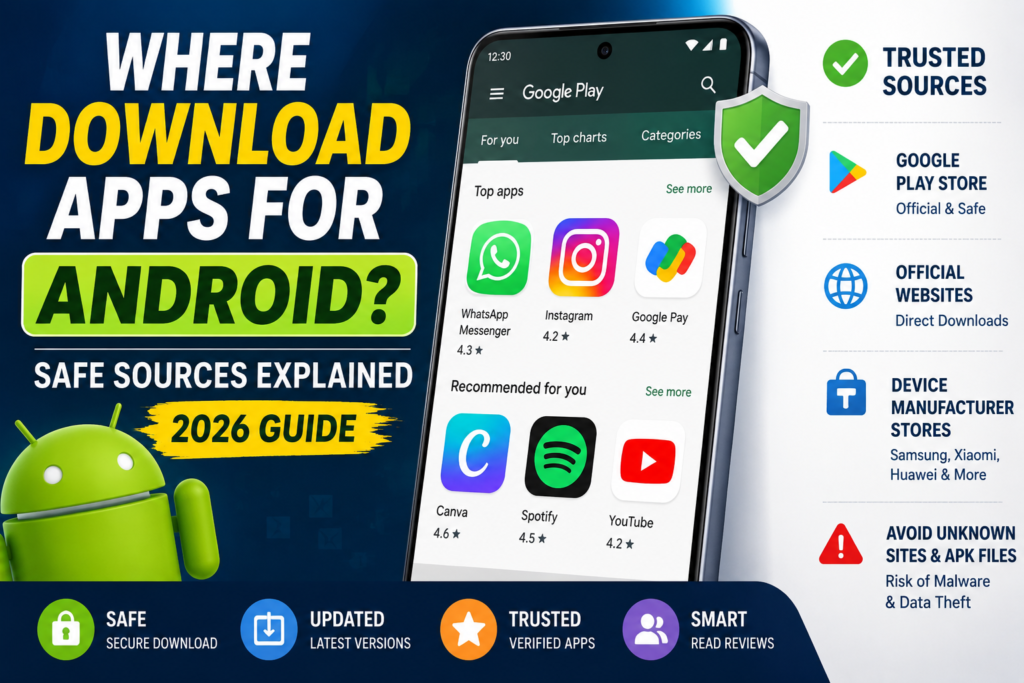
For an Android phone with Google Play, start with the Play Store app. Find the exact app, check its developer, then use Install or the displayed purchase option. Google recommends Play in its Android download guidance, while explaining that other sources are possible and unknown sources can put devices and information at risk.
If your phone does not include Google Play, use your manufacturer’s official support instructions to identify its supported app store. Do not install a store from a random “download Play Store” advertisement just because it uses a familiar icon.
Find the correct app before pressing Install
Start from the service’s genuine website when several similar apps appear in search. Follow its official store link and compare the publisher shown on the listing. The app name and logo alone may not distinguish the intended product from a look-alike.
Read what the app actually does. A live-score app is not necessarily a live-video app; an APK installer is not necessarily a downloader; a voice recorder is not necessarily a live-call voice changer. Matching the task is as important as matching the name.
Check whether the listing mentions ads, purchases or subscriptions. A no-charge install does not establish that all features are free. Review the offer shown to your account before approving a payment, and keep the purchase reference if you buy something.
Installing from Google Play
Open Play Store, find the app and select its listing. Review the developer and relevant details, then choose Install or the price button. Follow the prompts shown for your device and account. When the app opens, review permission requests in the context of the feature you are using.
Ratings and recent reviews can identify questions to investigate, but they are not a guarantee of quality or security. Look for relevant details about the current feature you need, rather than treating a high score or large download count as proof.
When an app is unavailable or will not install
Read the message shown by the store. An unavailable listing, incompatible device and interrupted download are different problems. Do not immediately replace the app with an APK from an unrelated site or assume that the publisher has been banned.
For a download problem, use the store’s troubleshooting route and check basic connectivity and storage. For an availability question, consult the publisher’s current supported devices and regions. If there is no verified supported route for your device, choose another tool that meets your need instead of forcing an unknown installation.
What about the developer’s own website?
Some publishers distribute directly. Before using such a route, establish that you reached the publisher’s genuine site and that it actually offers that download. A page describing itself as “official” is not sufficient evidence. Check where updates, support and privacy information will come from.
An APK file is a package format, not a certificate of safety. Likewise, a digital signature helps Android determine update compatibility; it is not a promise that the app’s behaviour is acceptable. If you want more detail, see our APK modification and signing explainer.
If a download page asks you to ignore a security warning, enter a payment PIN for a free download or grant unrelated access, stop and verify the source. This guide does not provide mirror downloads or recommend disabling protection to make an unverified file run.
What Play Protect does—and what it does not prove
Google Play Protect checks for harmful behaviour and may warn about, disable or remove harmful apps. Its checks also cover apps obtained outside Play. Keep it enabled rather than assuming it only matters for store downloads.
These checks do not establish every marketing claim, subscription condition or privacy practice. No source should be described as giving “maximum safety” or guaranteeing that every app is harmless. You still need to identify the publisher and assess the permissions and terms.
Review access after installation
Android Settings → Apps → the app → Permissions shows the access you can review. Google’s permission guide explains the controls. Ask why a particular feature needs a permission and use a narrower option when it meets the need. An unexpected request is a reason to investigate, not proof of a specific offence.
Keep apps and the operating system updated through their supported channels. Check the source of an update prompt: a browser advertisement claiming your app is outdated is not equivalent to an update offered by its store or publisher.
How to Uninstall an App
Preserve files you need before removal. For a vault or encrypted-storage app, export the files and confirm they open outside it. Then use Settings → Apps → the app → Uninstall, or Play’s Manage apps & devices controls.
Uninstalling does not necessarily cancel a subscription or delete a remote account. Handle billing with the provider that charges you and use the service’s account controls for account deletion. If you suspect a policy violation, our Google Play reporting guide explains the separate reporting route.
Practical choice: use the supported store on your phone, verify the exact publisher and choose an app that clearly provides the feature you need. Treat alternative downloads as a source-verification task rather than a shortcut around an unexplained error.
More Articles You May Like