Quick Answer (30 Seconds)
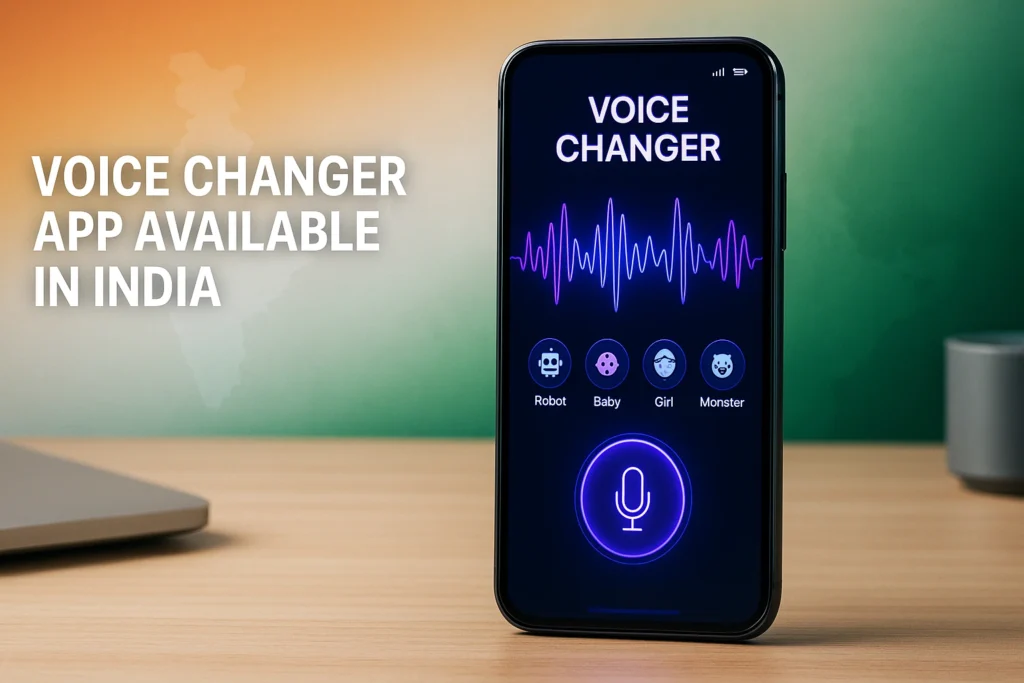
If you’re looking for a voice changer app during call, you’re probably hoping to sound like someone else while talking over a phone call. The reality is more complicated than many app descriptions suggest.
Apps like Call Voice Changer offer voice effects, voice recording, text-to-speech, soundboards, and sometimes claim real-time voice changing. However, whether your changed voice actually reaches the other person during a normal cellular or WhatsApp call depends on Android restrictions, your phone model, microphone routing, and the calling app you’re using.
For many users, these apps work best for:
- Recording funny voice clips
- Creating altered audio for social media
- Gaming voice chats
- Live streaming
- Voice messages
Using them during actual phone calls may work only on certain devices or through supported communication methods.
That’s the most important thing to know before downloading any voice changer app.
Table of Contents
Changing your voice has fascinated people for years.
Maybe you want to prank a friend (responsibly), make gaming sessions more entertaining, protect your identity while chatting online, or simply hear what you’d sound like as a robot, alien, or cartoon character.
A quick search on Google Play brings up dozens of apps promising live voice changing during calls. One example is Call Voice Changer by Techs Solution.
But here’s where many users become confused.
Some apps advertise real-time voice changing, yet Android’s security system limits what third-party apps can do during regular phone calls. That doesn’t necessarily make these apps useless—it simply means you should understand what they can and cannot realistically do.
This guide explains everything in simple language.
Why People Search for a Voice Changer App During Call
Different people have different goals.
Some simply want entertainment.
Others want privacy.
Many gamers want a unique online identity.
Here are some common situations:
- Making funny voice messages
- Creating entertaining content for YouTube or TikTok
- Voice trolling in multiplayer games
- Hiding their natural voice when talking to strangers online
- Recording comedy clips
- Making children’s stories with multiple characters
- Adding special effects to podcasts
Although prank calling is often mentioned with voice changers, it’s important to use these apps responsibly and avoid impersonation, harassment, or illegal activity.
What Is Call Voice Changer?
Call Voice Changer is an Android application that combines several voice-related tools into one app.
Instead of offering only one voice effect, it includes features such as:
- Voice recording
- Voice effects
- Ambient sound effects
- Pitch adjustment
- Tempo control
- Audio transformation
- Text-to-speech
- Voice avatars
- Soundboard effects
The app is designed mainly for entertainment rather than professional audio production.
According to its Play Store listing, it includes more than 28 voice effects and supports multiple languages for text-to-speech functionality.
How Does a Voice Changer App Work?
Understanding this helps avoid unrealistic expectations.
A voice changer doesn’t magically replace your voice.
Instead, it processes your microphone input by changing characteristics like:
- Pitch
- Frequency
- Tone
- Echo
- Reverb
- Speed
- Resonance
For example:
Your normal voice:
“Hello, how are you?”
Robot effect:
Metallic tone with synthetic filtering.
Alien effect:
High pitch combined with modulation.
Monster effect:
Lower pitch with heavy bass.
Some apps perform this processing after recording.
Others attempt to process audio in real time.
Real-time processing requires more CPU power and also depends on whether Android allows that processed audio to be sent into the calling application.
Key Features
1. Real-Time Voice Effects
The biggest attraction is the ability to modify your voice while speaking.
The app claims to support live voice transformation with various effects.
Depending on your device, this may work better for voice chats and compatible communication apps than for traditional mobile calls.
2. Male to Female Voice Changer
One of the most searched features is:
male to female voice changer app during call for Android
The app includes pitch-based gender effects that attempt to make a male voice sound more feminine and vice versa.
Keep in mind these are digital effects—not perfect human voice simulations.
The result depends on:
- Your original voice
- Speaking speed
- Microphone quality
- Background noise
3. Robot Voice
Popular among gamers and content creators.
Adds electronic filtering to produce a futuristic robotic sound.
4. Alien Voice
Changes pitch and modulation to create science-fiction style voices.
5. Monster Voice
Deepens the voice dramatically.
Useful for Halloween recordings or comedy videos.
6. Zombie Effects
Applies distorted filters suitable for horror-themed content.
7. Child Voice
Raises pitch to imitate a younger voice.
Results vary depending on the speaker.
8. Ambient Background Sounds
An interesting addition.
Instead of changing only your voice, the app can also simulate environments such as:
- Rain
- Forest
- Cave
- Meadow
This can make recordings sound more immersive.
9. Voice Recorder
The built-in recorder lets users capture audio before applying effects.
This is useful for:
- Podcasts
- Narration
- Voice notes
- Comedy skits
10. Text-to-Speech
Rather than recording yourself, you can type text and let the app read it aloud using different voice styles.
11. Audio File Editing
Existing recordings can be imported and modified with various voice effects.
This makes the app useful even if you don’t need live voice changing.
12. Speed and Pitch Controls
Advanced users can manually adjust:
- Voice speed
- Tempo
- Pitch
Instead of relying solely on preset filters.
Real-Life Examples
Imagine these situations.
Example 1
A gamer wants to sound like a robot while chatting with teammates.
Instead of buying expensive hardware, they experiment with software voice effects.
Example 2
A content creator records funny dialogue where one person voices five different characters.
Different voice filters save time.
Example 3
Parents create bedtime stories using monster, wizard and fairy voices.
Children usually enjoy the different character sounds.
Example 4
Friends exchange humorous altered voice messages in group chats.
This is one of the safest and most reliable ways to use voice changer apps.
Benefits
There are several reasons people enjoy apps like this.
Easy to use
Most effects require only one tap.
Free options available
Many basic voice effects are available without payment.
Fun for social media
Creators can produce entertaining content without professional editing software.
Multiple voice styles
Instead of only one filter, users get dozens of options.
Good for experimentation
People interested in audio editing can learn how pitch and effects change voices.
Hidden Limitations Many Users Don’t Notice
This is where expectations should be realistic.
Live phone calls may not work everywhere
Many users assume:
“I install the app, make a normal phone call, and the other person hears my changed voice.”
That is not guaranteed.
Android has gradually restricted microphone routing for security and privacy reasons.
Some phones simply don’t allow third-party apps to intercept call audio.
Results depend on hardware
Two people using the same app may experience different results because:
- Different Android versions
- Different chipsets
- Different microphone APIs
- Manufacturer restrictions
Voice quality can decrease
Heavy effects sometimes make speech less natural.
If the listener struggles to understand you, the conversation becomes frustrating.
Battery usage
Real-time audio processing consumes CPU resources.
Long sessions may increase battery drain.
Ads
The Play Store listing indicates the app contains advertisements and offers in-app purchases.
Free users should expect occasional ads.
Is It Safe to Use?
Based on publicly available information, there are no obvious signs that the app itself is malicious.
However, users should always review requested permissions.
Common permissions may include:
- Microphone
- Storage
- Media access
If an app requests permissions unrelated to its purpose, consider whether they’re necessary before granting access.
Always download apps from trusted sources such as Google Play instead of unofficial APK websites.
Privacy Analysis
Voice changer apps process audio, so privacy deserves attention.
Before using any voice-related application, consider:
- Does it upload recordings to cloud servers?
- Are recordings stored locally?
- Can recordings be deleted?
- Does the privacy policy explain data handling clearly?
Reading the privacy policy can help you understand how your information is handled before recording sensitive conversations or personal voice notes.
Performance Review
For casual entertainment, the app offers a broad collection of effects.
The interface shown on Google Play appears simple, making it approachable even for beginners.
Performance is generally influenced by:
- Phone processor
- Available RAM
- Android version
- Microphone quality
Users with newer devices are likely to experience smoother real-time processing than those using older entry-level phones.
Voice Changer vs Other Alternatives
Not every voice changer focuses on the same audience.
| Type | Best For |
|---|---|
| Call Voice Changer | Fun voice effects, recordings, entertainment |
| Gaming voice changers | Discord, multiplayer games, streaming |
| Professional voice processors | Podcasts, broadcasting, audio production |
| AI voice cloning tools | Content creation, narration, synthetic voices |
If your primary goal is professional-quality voice transformation, dedicated desktop software usually provides more natural results.
If your goal is simply having fun with friends, mobile apps like this are much easier to use.
Expert Recommendations
If you’re choosing a voice changer app during call free, keep these tips in mind:
- Test it first with voice recordings before relying on live conversations.
- Check whether it works with your preferred calling app.
- Use headphones for clearer microphone input.
- Speak slowly for better effect quality.
- Avoid excessive background noise.
- Keep expectations realistic regarding traditional phone calls.
Sometimes the recording features are actually more useful than the live calling features.
Common Mistakes Users Make
Assuming every Android phone supports live voice changing
Support varies considerably.
Expecting movie-quality voices
Mobile apps usually provide entertaining effects rather than studio-level transformations.
Ignoring permissions
Always review requested permissions before installation.
Using poor microphones
Voice quality starts with the microphone.
Even the best effects cannot completely fix noisy recordings.
Speaking too quickly
Voice processors generally produce better results when speech is clear and steady.
Frequently Asked Questions
Can I change my voice during a normal phone call?
Sometimes, but not on every Android device. Android’s security restrictions mean live voice changing during standard cellular calls may not be supported universally.
Is there a voice changer app during call free?
Yes. Many apps, including Call Voice Changer, offer free features, though they may include ads or optional in-app purchases.
Does it work with WhatsApp calls?
Results vary depending on the device, Android version, and how the calling app handles microphone input. There is no universal guarantee.
Can I sound exactly like a woman?
No. Gender voice effects mainly adjust pitch and tone. They can create a feminine-sounding effect, but they do not perfectly replicate a natural human voice.
Can I record my changed voice?
Yes. Recording altered audio is one of the primary features of this app.
Does it support male to female voice changing?
Yes. The app includes gender-based voice effects designed to make voices sound higher or lower, though the realism varies.
Is an internet connection required?
Basic voice recording and audio effects often work offline, while some features or advertisements may require internet access. Actual behavior can vary depending on the specific feature being used.
Final Verdict
If you’re searching for a voice changer app during call, Call Voice Changer offers a broad set of entertainment-focused tools, including voice effects, audio recording, text-to-speech, ambient sounds, and editable voice filters. Its variety of presets—such as robot, alien, monster, zombie, and gender-based effects—makes it appealing for casual fun, content creation, and voice experiments.
The biggest caveat is live calling. Although the app advertises real-time voice changing, Android’s platform restrictions mean that changing your voice during a regular phone call is not consistently supported across all devices and calling apps. For many users, the recording and audio-editing features will be the most reliable and practical parts of the experience.
If your goal is to create funny voice clips, enhance social media content, or experiment with different voice styles, this app is worth exploring. If you specifically need dependable live voice modification during every phone call, it’s important to verify compatibility with your device before relying on it.
More Articles You May Like