MagicCall – Voice Changer App is a calling app from BNG MOBILE on Android and Black N Green on the iPhone App Store. It advertises voice effects for calls started through the app. This guide explains the download links, calling process and purchase details to check before trying it.
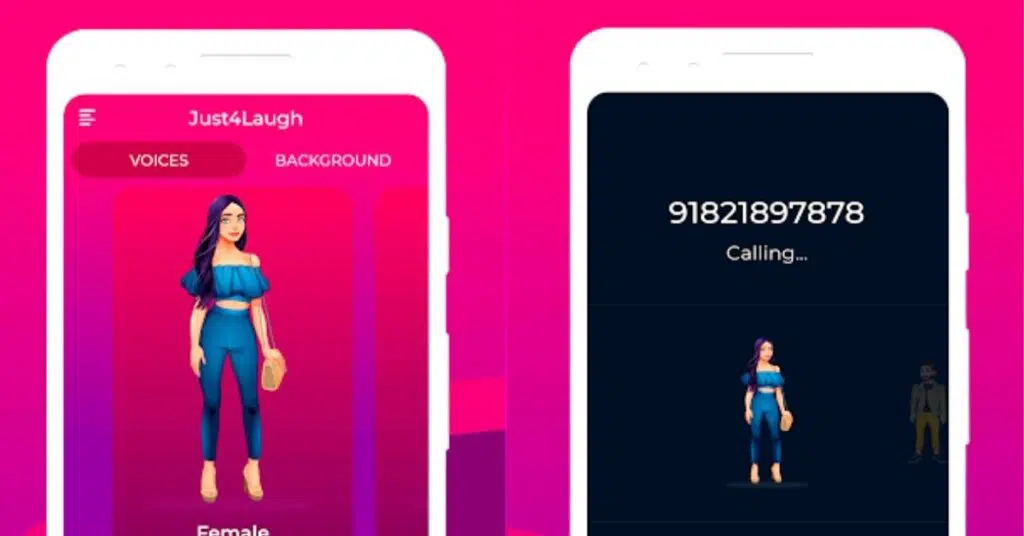
Looking for the app featured as Apptn Magic Voice? Our Apptn Magic Voice guide covers Just4Laugh by TeleCubes, a different app from MagicCall.
Official MagicCall Download Links
- Android: MagicCall on Google Play — contains ads and in-app purchases.
- iPhone: MagicCall on the App Store — free download with in-app purchases.
Check availability in your own store region and compatibility with your phone. Similar names do not necessarily identify the same app. A working public listing does not guarantee that installation or calling is available for your particular account or destination.
What Features Does the Developer Advertise?
The developer lists male, female, child and character-style voices, a preview before calling, switching effects during a call, background sounds and sound effects. These are advertised capabilities; we have not independently tested call quality or every effect on different phones.
Choose an effect for a call with someone who agrees to participate. A brief preview can help you decide whether an effect sounds useful, but hearing a preview is not proof that a call to your destination will connect successfully.
Is MagicCall Free or Paid?
Free installation should not be confused with unlimited free calling. Before accepting an offer, check the amount charged, included credits or minutes, expiry, renewal terms and whether the offer applies to your country.
The iPhone listing describes subscriptions and separate top-up packs. It also says calling credits can run out before a subscription period ends. Do not assume that a monthly subscription provides unlimited calls. Any introductory offer should be confirmed on the purchase screen.
Avoid comparing packs by price alone. Check how much usable calling time you receive for the number you intend to call. Save the purchase confirmation so you can identify the transaction if you need support.
How to Try a Call
- Install from the official store and open the app. Read the account and permission prompts before continuing.
- Choose an available voice or background effect. Use the preview option before calling.
- Check your balance and the displayed calling terms. Do not buy a larger pack simply because an initial attempt fails.
- Select a consenting contact or enter their number, then start the call using MagicCall’s calling controls.
- Keep the first call short. Ask whether the audio is understandable and check the balance afterward.
Will It Change WhatsApp or Normal Phone Calls?
The documented method starts a call inside MagicCall. Do not assume that installing it changes calls placed through your normal dialer, WhatsApp, Messenger or another app. This guide does not verify those integrations.
Permissions and Privacy
The developer’s privacy policy describes account details, contacts, microphone access, storage/device information and diagnostic data. Review the actual prompts on your phone. Google Play currently declares no data collected, while the linked policy describes collecting account and diagnostic information. Review both disclosures before deciding what to share.
What If a Call Does Not Connect?
Check your connection, available balance and the number’s country code. Read the exact error before retrying. A destination-related error should not be treated as a request to buy more credits.
If the problem continues, contact app@blackngreen.com, the support address listed on Google Play. Include your phone model, app version and error text. Remove private numbers and payment details from screenshots. Only make a purchase when the terms and intended service are clear to you.

App details checked on 13 October 2026 using the linked official store listings and developer policy. This is a documentation-based guide, not a hands-on call-quality test.
More Articles You May Like