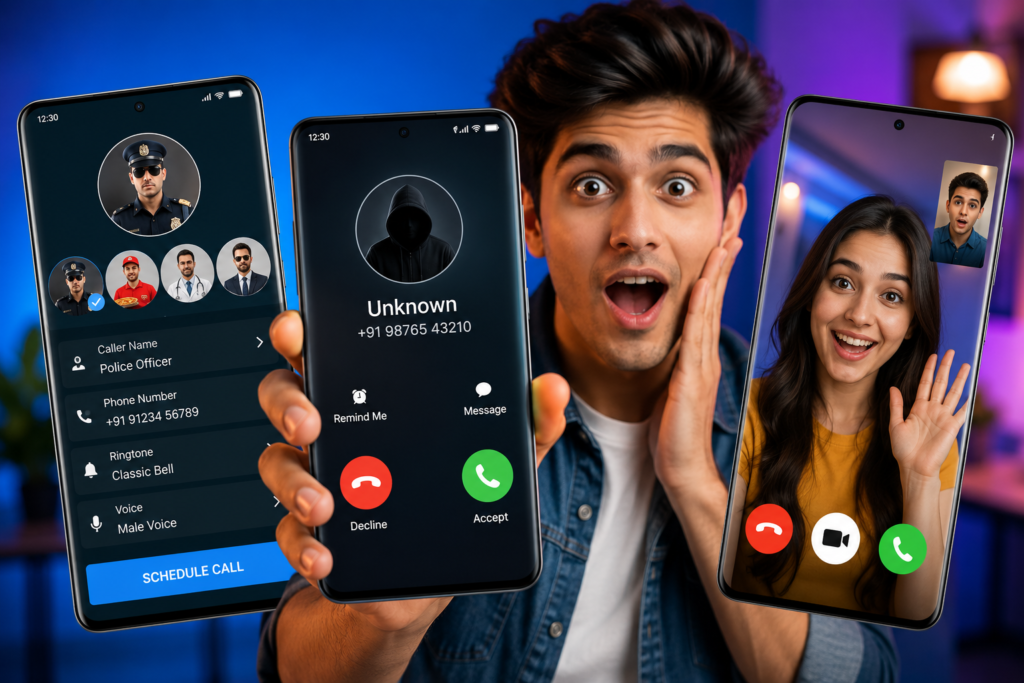
These three Android apps simulate call screens for entertainment; they are not a way to place an anonymous call to someone else. Choose according to the simulation you want—an incoming-call screen, scheduling or a pretend video call—and verify the exact developer before installing.
This comparison summarises current publisher descriptions on Google Play. We have not tested the apps side by side, measured advertising frequency or verified their reliability on a locked phone. The list is an overview, not a tested “best apps” ranking.
Quick comparison
| App and publisher | Publisher-described focus | What to verify yourself |
|---|---|---|
| Fake Call – Prank — GameAndro | Incoming-call simulation with caller details, ringtone and voice options | Timing and audio behaviour on your phone |
| Fake Call – Prank — Unit Apps and Games | Scheduled fake calls, themes and voice options; offline and lock-screen claims | Whether those modes work with your device settings |
| Prank Call — BG.Studio | Simulated video calls and messages with characters | Content suitability, ads and purchase prompts |
1. Fake Call – Prank by GameAndro
The GameAndro listing, package com.fakecallgame, describes an incoming-call simulator. It offers editable caller information, a picture, ringtone and voice options, including a recorded voice. The description gives immediate, 10-second and 30-second simulation choices and explicitly says these are not real incoming calls.
It shows ads and in-app purchases. Check the current options inside the app before assuming a particular feature is included without payment. For a simple staged scene, start with fictional caller details and a short test rather than a real person’s private information.
2. Fake Call – Prank by Unit Apps and Games
The Unit Apps and Games listing, package com.unit.fake.call, describes scheduled simulated calls, custom caller details, voice choices, themes and a simulated call history. It also claims offline operation and lock-screen display. The listing shows advertising.
Those offline and lock-screen statements are attributed to the publisher; we have not verified them on your phone. Check a short scheduled simulation while the phone is unlocked, then separately check the locked-screen behaviour if you need it. Know how to stop the ringtone before using it in a shared setting.
3. Prank Call by BG.Studio
The BG.Studio listing, package com.asianmobile.fakecall, focuses on pretend video calls and messages, with characters and custom caller details. Its description explicitly says it does not provide real calling or texting. It shows ads and in-app purchases.
The publisher advertises horror and scary characters as well as other themes. Preview the material before showing it to anyone, especially a child or someone who may find it distressing. A simulated celebrity video is not evidence of contact with that person.
How to choose without confusing the features
For an incoming-call screen in a skit, compare caller-name, image and ringtone controls. For a timed scene, check scheduling and cancellation. For a pretend video, check whether the content fits your audience. These are different needs, so a single popularity score does not decide which tool fits.
A call simulation does not establish caller-ID masking, a second phone number or free international calls. If you need real communication, use a service that explicitly supports the required calling function. Do not buy an entertainment app expecting a telecommunications service.
A short test before using a simulation
Use a fictional caller and schedule a short test on your own phone. Check the volume, how the screen appears and how to dismiss it. If the app offers a lock-screen mode, test that separately. Do not assume a successful foreground test proves background or locked-screen reliability.
If a feature fails, note the exact behaviour and consult the app’s support details. Avoid changing unrelated security settings just to make a prank work. Cancel scheduled simulations after testing so they do not interrupt a meeting, class or sleep.
Permissions, privacy and purchases
Read each listing’s current Data safety section and linked privacy policy. The apps have different disclosures; this guide does not make a blanket claim that they are safe, private or suitable for every age. Publisher-supplied labels are not an independent audit.
Use fictional names and images you have permission to use. If you record a voice, get the speaker’s agreement before saving or sharing it. Review Android access through Settings → Apps → the app → Permissions; Google’s permission guide explains those controls.
Before accepting a purchase, check whether it is a one-time payment or a renewing subscription and what it unlocks. An app marked with advertising should not be described as ad-free unless the specific current offer establishes that.
Keep the joke understandable
Use simulations for agreed entertainment or clearly staged content. Do not present a fake call log or message as evidence in a dispute, impersonate a bank or public authority, or use a frightening scenario to pressure someone. Explain the simulation when there is a risk that another person will take it as a real event.
How to Uninstall a Fake Call App
Cancel pending simulations and keep any recordings you want to retain. Then open Android Settings → Apps, select the exact app and choose Uninstall, or follow Google Play’s removal steps. Review recurring billing separately with the provider that charged you.
Our recommendation: choose the smallest set of simulation features you need and test them on your phone. Use the official package links above, read the current disclosures and keep the result clearly within consensual entertainment.
More Articles You May Like


1 thought on “3 Fake Call Prank Apps for Android: Features Compared”