Source review: 18 October 2026. Updated using public official documentation. This is not a hands-on app test or a report of a personally witnessed incident.
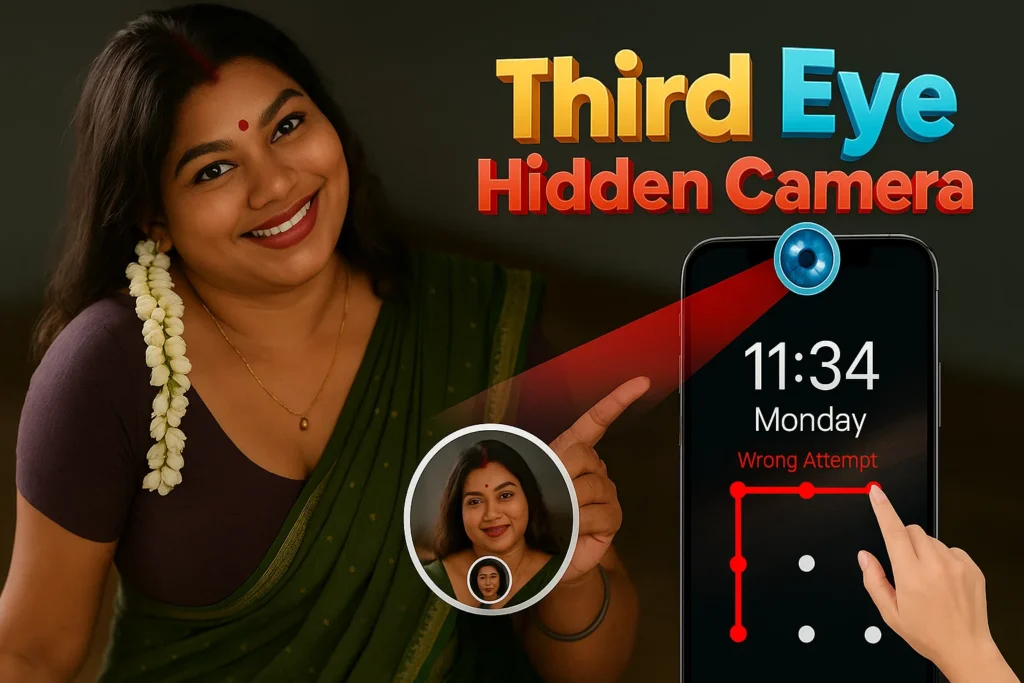
Third Eye camera recording is marketed as a way to capture video and help monitor access to your own phone. Before installing it, separate the features a publisher advertises from results you have actually checked on your device. Recording, detecting an unlock attempt and detecting another camera are different tasks.
This guide replaces earlier blanket claims about invisible recording, guaranteed security and no data sharing. It explains the current listing, what to check before paying, and how to handle recordings responsibly. It does not teach covert monitoring of another person or the disabling of Android privacy indicators.
For a meeting, class, interview or household recording, obtain the necessary permission and make the purpose clear. Owning a phone does not give you unrestricted permission to record everyone around it. If your need is simply a personal video note, your phone’s normal camera may already be sufficient without another app or subscription.
Quick overview
| Item | Reviewed information |
| App | Third Eye Hidden Camera Record by DOSA Apps |
| Store update | 15 June 2026 |
| Business model | Ads and in-app purchases |
| Advertised functions | Background video, scheduled recording and intruder selfies |
| Decision | Verify operation, privacy and price on your device |
Contents: What the listing establishes · Privacy: read more than the promotional paragraph · Android indicators and permission controls · A consent-based recording check · Why a detector result is not a room-safety certificate · FAQ: features, privacy and cost · How to uninstall and keep wanted files
What the listing establishes
The official Play page describes screen-off recording and an infrared camera detector as well as the functions above. These are publisher claims, not results independently confirmed here. A store description cannot establish the recording duration, picture quality or detector accuracy you will obtain.
Availability of a feature does not mean it is included in the free version. Read the current purchase screen and feature limits before accepting a trial or payment. Do not assume a download labelled free provides unlimited use.
Compare the exact app identity rather than choosing solely by the words Third Eye. Similar names can refer to unrelated products. Use the linked official listing and inspect the developer information before installing.
Privacy: read more than the promotional paragraph
The listing says recorded media stays on the device. However, its Data safety summary declares possible sharing of device identifiers. It also displays no data collected, encryption in transit and no deletion option. These categories have specific developer-reporting definitions; they do not justify a blanket no-sharing guarantee.
A locally saved recording can still contain private information about people, locations or conversations. Think about who can unlock the phone, whether your chosen folder is backed up elsewhere, and which apps you use to share a file. Storage location alone is not a complete privacy plan.
Ask the publisher about any unclear disclosure before recording sensitive material. This review has not inspected network traffic or independently audited the app, so it cannot certify that all media and metadata stay offline.
Android indicators and permission controls
Google documents a green camera or microphone indicator on supported Android versions, including Android 12 and later. Swiping down and tapping it can show the app using the sensor and provide a route to permission controls. Device interfaces can differ.
Keep those privacy controls available. A screen-off feature is not evidence that a recording is invisible, and this guide does not recommend bypassing system notices. If a camera or microphone is active unexpectedly, review the app and stop access while you investigate.
In Settings, open Apps, select the app and inspect Permissions. Grant only access you understand for a feature you intend to use. Do not approve unrelated special access simply because a tutorial says to enable everything.
A consent-based recording check
Choose a non-sensitive scene you are allowed to record. Tell anyone involved what you are checking. Make a short clip, stop it, and play the saved file to confirm the image, audio and duration. Do this before relying on the app for an important event.
Check available storage and battery level. Longer recordings can create larger files, and an incomplete clip may not be obvious until playback. Keep the original of any file you need and verify a copied file opens before removing the source.
If a recording fails, first check the relevant camera and microphone permission and whether the phone’s sensor controls are enabled. Read the app’s error message. Avoid disabling broad security settings or installing a modified build as a repair.
Why a detector result is not a room-safety certificate
This review has not validated the advertised infrared detection feature. Do not treat a quiet scan as proof that no camera exists, or a highlighted object as proof that someone has placed a surveillance device. A detector claim needs evidence about its conditions and limitations.
If you have a concrete privacy concern in a room, leave the sensitive area if practical and seek help from the property manager or appropriate authority. Do not dismantle electrical equipment or confront a person based only on an app result.
For phone protection, maintain a strong screen lock and keep the device under your control. An intruder selfie is an additional clue at most; it is not proof of intent, a theft-prevention guarantee or a replacement for ordinary account security.
FAQ: features, privacy and cost
Does it record without any visible indication? That is not guaranteed. Android provides sensor-use indicators on supported devices.
Can it prove a room has no hidden camera? No such capability has been established by this review.
Is every feature free? Check the actual offer and renewal terms. The listing includes in-app purchases.
Is recording always permitted? No blanket permission is given here. Consent, the setting and applicable rules matter; obtain qualified advice for a specific dispute.
How to uninstall and keep wanted files
Stop any active recording and confirm wanted files are safely copied and playable. Then use Google Play, your profile, Manage apps & devices, Manage, select the app and Uninstall. Do not assume app-private recordings will survive removal.
If you accepted a subscription, check its cancellation separately with the billing provider. Uninstalling is not the same as cancelling renewal or requesting deletion of information held by a provider. Third Eye camera recording should be judged by verified results and clear terms, not promises of secrecy.
Sources and update policy
Official sources reviewed: Third Eye on Google Play; Android camera and microphone indicators; Android permissions; Google Play Data safety; Android uninstall help.
We revise this guide when verified documentation changes or a correction is needed. App features and support screens can vary by version, device and region. We distinguish publisher claims from our practical guidance and do not invent tests, incidents or guarantees. This page is informational; contact the relevant provider or authority for an individual case.
More Articles You May Like