If you’re searching “how to get call history of any 2026,” it’s important to pause and understand what’s actually possible—and what’s legal. In 2026, call records are treated as private data. There is no legitimate way to access someone else’s call history without their consent. However, there are several safe and legal ways to view your own call history, recover deleted logs, or obtain records with proper authorization.
📋 Quick Checklist: Get Call History Safely in 2026
- ✔ Check your phone’s call log first
- ✔ Look for cloud backups if logs were deleted
- ✔ Log in to your mobile carrier account for official records
- ✔ Access another phone only with clear permission
- ✔ Keep ID ready when requesting carrier statements
- ✖ Don’t trust “hack” or spy apps online
- ✖ Never share OTPs, passwords, or SIM details
- ✖ Avoid APKs claiming to show any number’s history
This guide explains the real options, common myths, and the safest methods you can use today.
Table of Contents
🔐 First: What “Any Call History” Really Means
Many people search this phrase when they want to:
- See their own call logs
- Recover deleted call history
- Check records on a new phone
- Get call details for billing or proof
- Help a family member with permission
What it does not mean (legally):
- Hacking someone’s phone
- Secretly spying on another person’s calls
- Using hidden apps or tools to monitor others
Accessing someone’s call records without consent is illegal in most regions.
📊 Call History Access 2026 — Quick Overview
| Situation | What You Can Do |
|---|---|
| Your own phone | Check phone app or backup |
| Deleted logs | Restore from cloud/backup |
| Carrier records | Request from your network provider |
| Family member (with consent) | Access their device or account |
| Someone else without consent | Not legal / not possible safely |
| Work or legal need | Follow official/legal process |
✅ Legal Ways to Get Call History in 2026
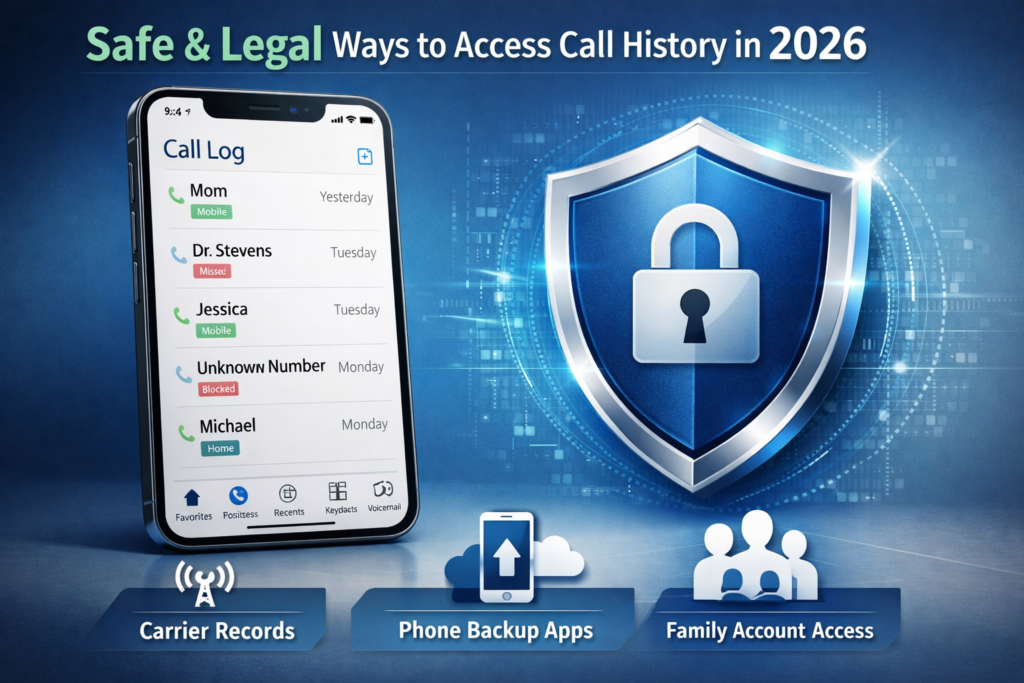
📱 1. From Your Phone’s Call App (Android & iPhone)
Your phone already stores recent calls.
Steps (general):
- Open Phone app
- Tap Recents / Call History
- View incoming, outgoing, and missed calls
You can usually:
- Filter by missed/dialed
- Search contacts
- Export via share (some phones)
☁️ 2. From Cloud Backups (If Logs Were Deleted)
If you changed phones or lost logs:
On Android:
- Check your Google account backup
- Restore during setup (if enabled)
On iPhone:
- iCloud backup may include call history
- Restore during device setup
⚠️ Note: Restoring backups may overwrite current data.
📡 3. From Your Mobile Network Provider
Your telecom carrier keeps Call Detail Records (CDR) for billing.
You can usually get:
- Date & time
- Number called/received
- Duration
How:
- Log in to your carrier’s website/app
- Or visit customer care with ID
- Request your call history statement
✔ This is the most reliable source for official records.
👨👩👧 4. With Consent From the Phone Owner
If you’re helping:
- A spouse
- Parent
- Child
- Elderly family member
You can:
- Access their phone directly
- Log in to their carrier account
- View backups with permission
Consent is the key.
⚖️ 5. Through Legal or Official Requests
In rare cases (work disputes, legal cases):
- Records may be requested through lawful channels
- Usually requires proper authorization or court order
This is handled by service providers, not apps.
❌ What You Should NOT Trust
Avoid any website, video, or app that claims:
- “Get call history of any number”
- “Track anyone’s calls secretly”
- “Hack call logs in minutes”
- “Spy tool without access”
These are usually:
- Scams
- Malware
- Fake tools
- Privacy traps
They may steal your data or money.
🛡️ Why You Can’t Access Others’ Call History
In 2026:
- Call logs are protected by privacy laws
- Stored securely by devices and carriers
- Encrypted and account-bound
- Not accessible by third-party apps
This protects everyone from misuse and spying.
📲 How to Export or Save Your Call History
Some phones allow:
- Export via contacts/call app
- Share to email or notes
- Use system backup tools
- Request PDF from carrier
Check your device settings or carrier portal.
👥 Pros & Cons of Different Methods
| Method | Pros 👍 | Cons 👎 |
|---|---|---|
| Phone app | Instant, free | Limited history |
| Cloud backup | Restores old logs | May overwrite data |
| Carrier records | Official, detailed | May take time |
| With consent | Helpful for family | Needs access |
| Online “hack” tools | Promise shortcuts | Unsafe, fake |
🧠 Our Valuable Recommendation
For anyone searching how to get call history of any 2026:
- ✅ Use your phone’s built-in call logs
- ✅ Check cloud backups if deleted
- ✅ Request official records from your carrier
- ✅ Help others only with permission
- ❌ Avoid spy or hack apps
- ❌ Don’t share OTPs or account logins
Protecting privacy is as important as accessing data.
🧭 Decision Micro-Table
| Your Need | Best Choice |
|---|---|
| View recent calls | Phone app |
| Recover old logs | Cloud backup |
| Billing proof | Carrier statement |
| Helping family | Access with consent |
| Track someone secretly | Not legal – avoid |
🔍 FAQs
Can I see call history of any number online?
No. Only the account holder or carrier can access official records.
Are there apps that show others’ call logs?
No legitimate apps can do this without access to the phone/account.
How long do carriers keep records?
Usually a few months to a year, depending on provider and region.
Can I recover deleted call logs?
Only if you have backups made before deletion.
In 2026, there is no safe or legal shortcut to view the call history of just “any” phone. What you can do is access your own records, restore backups, or request official statements from your carrier. Anything claiming secret access should be avoided.
If you’re searching how to get call history of any 2026, the right approach is to use legal, transparent, and secure methods that respect privacy and keep your data safe.
More Articles You May Like