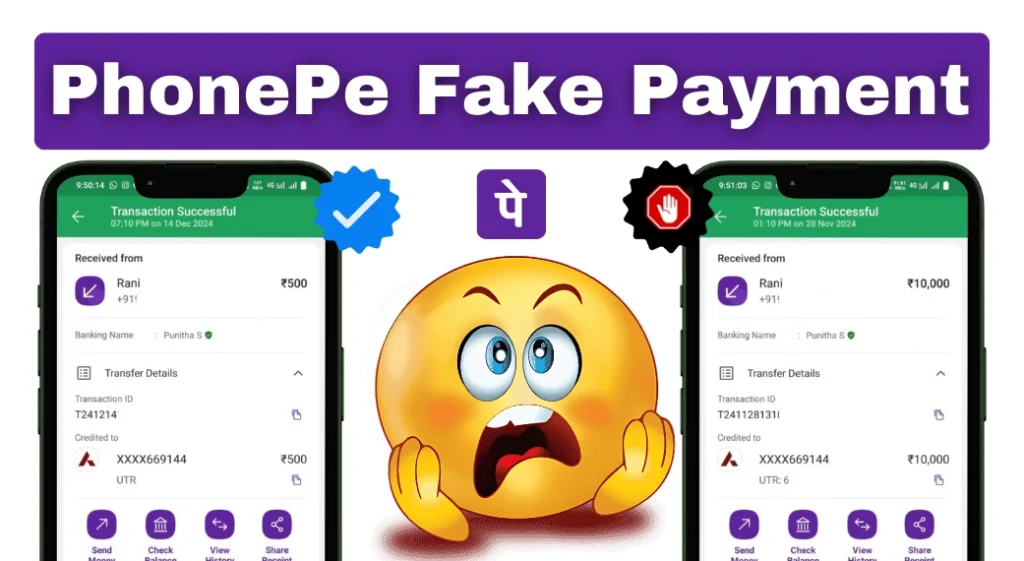
A PhonePe screenshot, animation or payment sound is not enough to prove you received money. Open your own payment or bank account records and confirm the relevant credit before handing over goods, providing a service or returning an alleged overpayment.
PhonePe’s merchant fraud guidance warns that counterfeit payment apps can imitate the appearance and flow of genuine apps, including notification sounds. This guide focuses on checking a payment and getting help, rather than downloading an imitation app.
How to check a claimed PhonePe payment
- Use your own device. Open the payment app or bank app directly, rather than following a link supplied with the receipt.
- Check the intended receiving account. Compare the amount, date and transaction reference with your records, and confirm that the entry is a credit.
- If you use a merchant account, check the transaction record provided by your payment service. Ask its support team to investigate any mismatch.
- Record the payment against the correct order only after you can establish it was received. A number printed on the sender’s screenshot is not independent confirmation.
It is unnecessary to decide whether the font or logo on a screenshot looks authentic. A convincing image can still be misleading. Conversely, a missing notification alone does not establish fraud; check the account record.
What if the sender says the payment is pending?
Treat the payment as unresolved until you can confirm its status. Ask the sender to check the transaction in their own app and use the app’s support route if necessary. A delay or a disagreement between records should be investigated, rather than automatically labelled a scam.
For a shop, use a consistent process: explain that you need to confirm receipt before completing the order. Avoid pressing a customer into repeated attempts without checking the first payment, which can create a duplicate-payment dispute.
Be careful with “I paid too much” requests
PhonePe also describes fake screenshot requests for money back. A caller may claim to have sent you money by mistake and then demand a refund. Verify an actual incoming credit first, and contact your bank or payment service about an unexpected transfer. Do not send money only because someone shows a receipt or threatens you.
How to report a suspected fake payment
- Keep the message, alleged receipt, order details, amount, date and any transaction reference. Save your own relevant account records too.
- Use Help in the PhonePe app to raise the transaction issue, or visit support.phonepe.com. If there is no transaction in your history, describe that clearly rather than selecting an unrelated payment.
- If money has been lost or your account may be compromised, contact your bank promptly. In India, report financial cyber fraud through cybercrime.gov.in or call 1930.
- Keep your complaint reference and follow the official follow-up instructions. Reporting does not guarantee recovery.
A useful rule for staff and family
Agree on one routine: confirm receipt in the recipient’s own records. Do not make exceptions because a customer is in a hurry or because a screenshot looks professional. A different payment app cannot remove the need for this check.
This page does not authenticate an individual screenshot or determine whether a particular person committed fraud. Your bank, payment service and the relevant authorities can investigate the specific transaction.
How to Uninstall a Suspicious Payment App
If you installed an imitation payment app, preserve useful payment references and evidence of the download before removing it. Open Android Settings → Apps, select the suspicious app and choose Uninstall. Use Google Play Protect to review device security, and contact your bank promptly if you disclosed financial credentials. Removing an app does not reverse a transfer or settle a complaint.
More Articles You May Like







500
Fake phonepe
100000000
Yes
6206645700
Neearj
10000
mareko fake phone pay chiye
Very good helpful