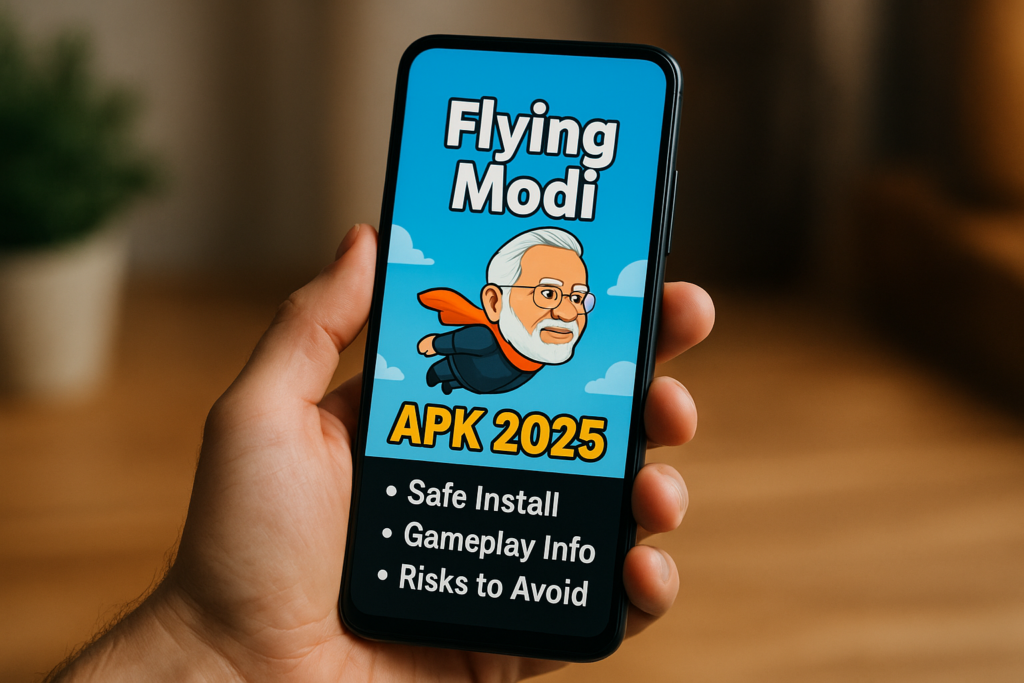
The Flying Modi link in this guide points to Flappy Game Maker: Flying Modi by wbtech.in on Google Play. It is described as an app for creating and playing Flappy-style games, rather than only one fixed tap-to-fly game. Check the full title and publisher before installing: different apps can use similar meme-style names.
The exact Android package is app.techwb.flappybird_maker. The official Google Play listing identifies ads and describes custom characters, backgrounds, obstacles, sounds and community games. It also describes Google sign-in and cloud synchronisation. These details help explain what you are installing, but they do not guarantee performance on every phone.
If you searched for a Flying Modi APK just to try a short arcade game, start by deciding whether you want a ready-made game or tools to build one. A creator app can involve extra choices, account access and uploaded media. You do not need to provide personal photos simply to decide whether its style of play interests you; use a sample or an original, non-sensitive illustration when testing.
Quick overview
| Item | Verified listing detail |
|---|---|
| App name | Flappy Game Maker: Flying Modi |
| Publisher | wbtech.in |
| Android package | app.techwb.flappybird_maker |
| Main purpose | Create and play Flappy-style games. |
| Monetisation | Contains ads. |
| Before sharing | Review uploaded media, privacy and community visibility. |
In this guide: App identity · Getting started · Privacy · Troubleshooting · Uninstall · FAQs.
Check the exact app before installing
A search for “Flying Modi” can return multiple games, videos and download pages. Do not use a familiar face or a copied icon as the only identifier. Compare the store title, publisher and package with the details above. This article describes that specific listing and does not verify every similarly named game.
The name should not be treated as proof of government affiliation or endorsement by a person pictured in a game. Likewise, a Play listing for this package does not authenticate an APK hosted somewhere else. Follow the listing when it is available for your account and device; if it is not, read the store’s message rather than assuming an unofficial download fixes the underlying issue.
How to get started
The developer’s listed sequence is to sign in with Google, try the sample, choose the plus control, add media and settings, then play or share. It advertises community discovery and editing tools. Treat the following as a cautious first-use workflow, not a claim that every current screen was tested for this review.
- Review the app listing. Check recent changes, ads, device compatibility and privacy information.
- Start with a sample. Learn the movement and retry flow before spending time making a full game.
- Choose simple assets. Use an image you created and a sound you have permission to use.
- Change one setting at a time. Test after each change so you can identify what made the level easier or harder.
- Preview before sharing. Confirm that the character, obstacles and text look right and do not reveal personal information.
For a tap-to-fly game, practise a steady rhythm and leave space to react to the next obstacle. Large, repeated taps can make it harder to recover control. If the app offers different gameplay settings, begin with an easier setup; there is no need to download a “score hack” to learn the controls.
Photos, sign-in and privacy deserve attention
At review time, the Play Data safety panel declared possible collection of personal information, photos and videos and other categories. It also displayed that data is not encrypted and that deletion can be requested. These are developer disclosures, not our independent audit. Read the current panel before deciding what to upload.
For a first project, avoid children’s photos, identity documents, home addresses or images that expose private details in the background. Ask permission before turning somebody else’s portrait into a publicly shared game. A private joke between friends can reach a wider audience once a game link is forwarded.
When a permission prompt appears, connect it to the feature you are using. Selecting an image may explain a photo-access request, but it does not make every unrelated permission necessary. Prefer selecting only the files needed when your phone offers that option. Do not share your Google password with a game creator or another player.
Ads, costs and unofficial APK claims
The listing says the app contains ads. Test whether interruptions suit your use before spending time on a large project. Avoid interpreting a review score as a guarantee of a particular ad frequency: experiences can differ by version, region and session.
No “Flying Modi mod APK”, ad-removal patch or unlimited-score installer was tested for this guide. An unofficial label does not establish that the file works or that account features are supported. Keep Google Play Protect enabled. It checks apps for potentially harmful behaviour, but is not a promise that every app or community upload is appropriate for every user.
If the game fails to load or feels slow
- Update the app through its store listing and restart it.
- Check the connection when using sign-in or community features.
- Try a sample game to see whether the issue affects the app or only your project.
- Use a simpler test image or sound to isolate an asset-related problem.
- Before clearing app storage, confirm that projects you need are saved and accessible.
Record the error message and the step that triggered it. Send that description through the app’s listed support route rather than sending private photos or credentials. Do not assume a compatibility problem can be solved by installing an older file from an unknown source.
How to uninstall and review remaining access
Save anything you want to keep, then open Google Play → profile → Manage apps & devices → Manage, select the app and choose Uninstall. Follow Google’s removal guide if your screen differs. Removing the app does not necessarily remove uploaded projects or an online account; use the developer’s deletion process for that request.
Frequently asked questions
Is Flying Modi only a single arcade game?
The specific listing covered here is a game maker with playable creations. Other apps sharing the name may be different products.
Do I need coding skills?
The developer describes a no-code creation workflow. Start with a small test project to assess whether the controls suit you.
Can it be used fully offline?
This guide does not verify full offline operation. Test your intended game in advance; online account and community features should not be assumed to work without a connection.
Can I use any picture or song?
Use your own assets or material you have permission to share. Avoid exposing another person’s private information.
Practical takeaway: Identify the correct Flying Modi listing, try a small game first and check privacy before uploading media. Choose the app for its actual creation features, not an unverified APK promise.
Editorial note: Official listing and Google help reviewed on 16 October 2026. This is a researched guide, not a hands-on performance or security certification.
More Articles You May Like






