Source review: 18 October 2026. Updated using public official documentation. This is not a hands-on app test or a report of a personally witnessed incident.
A call volume booster is not a guaranteed repair for a quiet phone. First establish whether you cannot hear the other person, the ringtone is quiet, or music is too soft. These problems involve different controls. An app that changes one setting may leave your actual problem untouched.
This guide compares the published claims of Call Volume Booster by ProMadMood Lab and Call Volume Sound Amplifier by Goldappslabz. We have not measured their output, battery use or effectiveness on a particular handset. Neither receives a best-app award here.
Quick overview
| Question | Practical answer |
| First check | Adjust in-call volume during an active call |
| ProMadMood Lab | Call-volume controls; contains ads |
| Goldappslabz | Broader advertised sound controls; contains ads |
| Guaranteed extra loudness | Not established on every device |
| Persistent problem | Use manufacturer support rather than stacking boosters |
Contents: Check which sound is low · Try phone checks before another app · What ProMadMood Lab advertises · What Goldappslabz advertises · Privacy and a cautious comparison · Listening comfort comes first · FAQ · How to uninstall a booster
Check which sound is low
Android separates media, call, ring, notification and alarm volume. Google explains that physical buttons change different settings depending on what you are doing. Raising the slider while watching a video does not establish that caller volume has increased.
During an ordinary test call, adjust volume gradually to a comfortable level. Identify the selected audio route: the earpiece, speakerphone or a connected headset. A headset left connected can make it appear that the phone itself has no sound.
Ask whether the problem occurs with several callers or only one. Note whether it affects mobile-network calls, an internet-calling app, or both. This record is useful when asking for support and avoids treating every symptom as the same fault.
Try phone checks before another app
Samsung advises checking whether a screen protector obstructs the receiver and whether a case or film blocks relevant vents. It also recommends current software and checking its Mute all sounds setting under Accessibility and Hearing enhancements. Available controls vary by model.
Use the instructions for your exact handset. Inspect the outside without inserting pins or tools into openings. If removing a poorly fitted case changes the result, replacing it is more useful than increasing amplification.
Compare a short call using the receiver and, in a private setting, speakerphone. Keep the phone away from your ear when switching to speakerphone. Write down which route is affected rather than repeatedly turning everything to maximum.
If the issue began after damage, persists across calls, or prevents normal use, contact the manufacturer or a qualified repair service. Do not erase the phone as a first step or assume a downloaded booster repairs hardware.
What ProMadMood Lab advertises
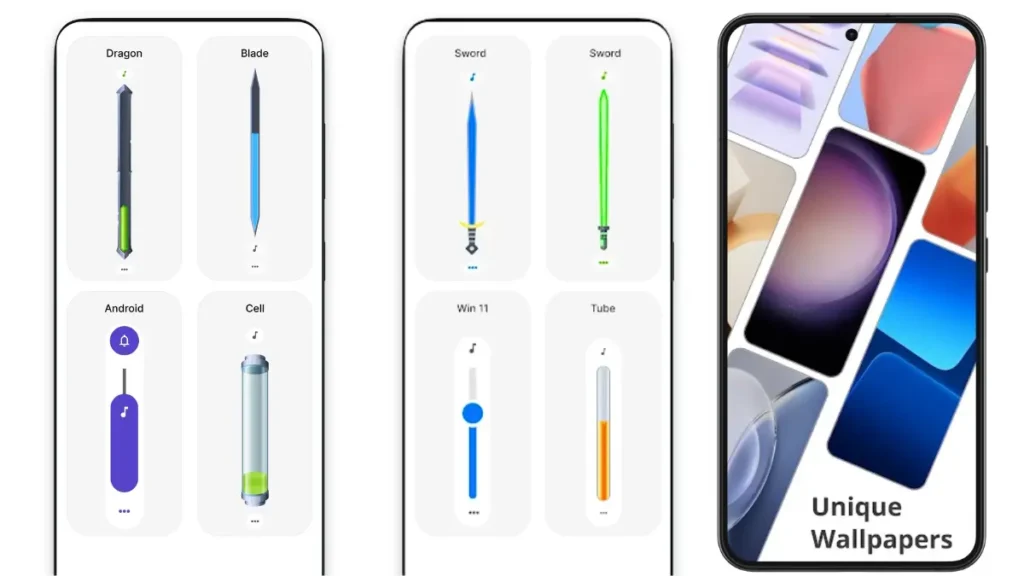
The official listing describes a call-volume control: increase the level with its plus button and apply the setting. It says there is no background service. That description is a developer claim, not an independent battery benchmark.
The listing reviewed shows an update dated 14 April 2025 and identifies advertising. Earlier claims that this app had no ads noise or was proven better on low-end devices were unsupported. A minimal interface does not prove greater loudness or universal compatibility.
If the built-in call control already gives the same result, another control may offer little benefit. Judge clarity during a comfortable test, not the size of a percentage or slider shown on screen.
What Goldappslabz advertises
The listing is named Call Volume Sound Amplifier. It describes controls for several sound categories and a boost button, with an update dated 30 November 2024. Its claimed percentage improvement is not a measurement verified by this review.
The publisher explicitly requires headphones and warns about feedback without them. It also says the app is not a hearing-aid replacement. These qualifications matter more than the promotional promise of stronger audio.
We cannot confirm that it boosts every WhatsApp call, Bluetooth device or phone model. Do not treat it as a universal alternative to handset controls. Stop if the result is distorted, uncomfortable or less intelligible.
Privacy and a cautious comparison
Both reviewed store summaries declare possible sharing of device identifiers. Read their current Data safety sections and privacy policies. A no-data-collected label should not be rewritten as a no-sharing promise.
Choose one change at a time. Record the starting call setting, use the same audio route and compare a brief normal conversation. You do not need to record a conversation or share private call content with a developer to describe a volume issue.
Review requested permissions in Android Settings. Ask why access is needed for a feature you intend to use; do not enable unrelated special access merely because an advertisement recommends it. If the app provides no useful improvement, remove it instead of adding more boosters.
Listening comfort comes first
WHO explains that hearing risk depends on sound intensity and exposure duration. Keep listening levels comfortable and take breaks. Headphones do not guarantee safe output, and an app percentage cannot certify a safe listening level.
If hearing remains difficult across devices or ordinary conversations, seek advice from a qualified hearing professional. More amplification is not a diagnosis or a substitute for appropriate care.
FAQ
Can a booster exceed every phone’s limit? No universal result has been established. A control may only adjust the existing call setting.
Does louder music prove louder calls? No. Check the actual call route and call-volume control.
Which app is best? Neither is independently proven best here. Start with built-in controls and manufacturer troubleshooting.
Are these ad-free? Both reviewed listings identify advertising. Check the current store page for changes.
How to uninstall a booster
Return changed sound settings to comfortable levels. In Google Play, open your profile, Manage apps & devices, Manage, select the booster and choose Uninstall. Alternatively use its app information page in Android Settings.
Recheck an ordinary call after removal. If the underlying problem remains, provide support with your phone model, software version, affected audio route and the checks already tried. That is more useful than a claim that the phone needs a larger boost.
Sources and update policy
Official sources reviewed: Android volume controls; Samsung call troubleshooting; ProMadMood Lab listing; Goldappslabz listing; WHO safe listening; Android permissions; Google Play Data safety; Android uninstall help.
We revise this guide when verified documentation changes or a correction is needed. App features and support screens can vary by version, device and region. We distinguish publisher claims from our practical guidance and do not invent tests, incidents or guarantees. This page is informational; contact the relevant provider or authority for an individual case.