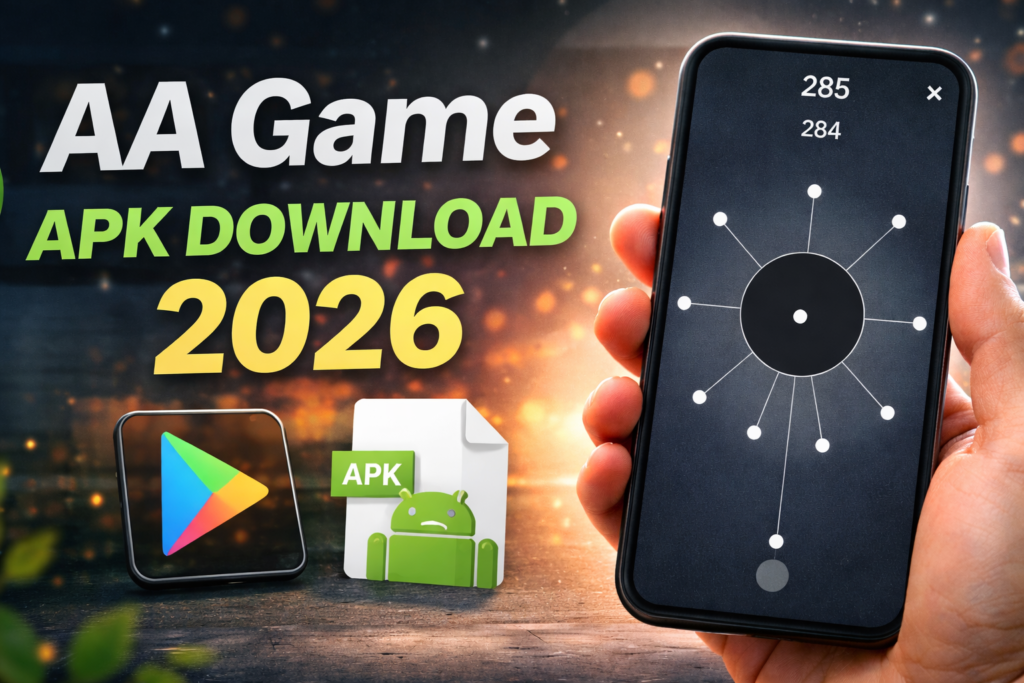
The aa game is a one-tap timing puzzle: send dots into a rotating circle without colliding with dots already attached. The controls are simple, but judging each opening is the challenge. If you searched for “aa game APK download,” the direct Google Play listing is the useful starting point.
This guide identifies the original Android game, explains what to check before installing and offers a practical way to approach the gameplay. It is based on publisher information; we have not run performance tests on different phones.
Quick overview
| Item | What to know |
|---|---|
| Game | aa |
| Publisher | General Adaptive Apps Pty Ltd |
| Android package | com.aa.generaladaptiveapps |
| Core play | One-tap timing and avoiding collisions |
| Costs | Free download with advertising and optional purchases |
| Device support | Check your device’s Play Store result |
Get the original aa game
Open aa on Google Play and confirm General Adaptive Apps Pty Ltd. The short name makes unrelated search results easy to confuse with the original. Compare the publisher and package before installing.
The listing describes more than 1,300 levels and offline play. These are publisher claims about the current product, not a guarantee that every feature works without a connection. Store transactions and online score services have separate requirements.
How the timing puzzle works
You tap to send a dot towards the spinning centre. A successful move places it without hitting an existing dot. A collision ends the attempt. The useful skill is reading the moving gaps, rather than tapping as quickly as possible.
For an early practice session, watch one rotation before tapping. Choose a clear gap and observe what happens after your first dot lands. As the circle fills, reassess the space rather than assuming the same rhythm will work for the whole level.
These are general playing suggestions, not a guaranteed solution for a particular level. Avoid pages claiming a single timing pattern beats every stage. The arrangement on screen and your current level matter.
Ads and optional purchases
Free download does not mean an ad-free experience. Before accepting an offer, read what it buys, the price and whether it is a one-time purchase or another type of charge. Do not assume that a purchase removes every interruption or unlocks all levels unless the current offer explicitly says so.
If a purchase does not appear, retain the receipt and use the support contact in the verified listing. Repeated purchases or installing a “premium unlocked” file can make it harder to understand which entitlement belongs to your account.
Does it work on your Android phone?
Check Google Play on the phone you plan to use. A public listing being accessible does not prove compatibility with every Android release, model or account region. Use Install or Update only when it is offered for your device.
If the game will not install or repeatedly closes, record the exact message, phone model and Android version. Check available storage and official updates. Contact the publisher when the problem continues. Avoid clearing game data as an early troubleshooting step if you want to preserve progress.
There is no verified basis here to promise smooth performance on all new phones. An older APK from an unknown distributor is not a dependable compatibility fix.
Privacy and suitability for children
The publisher’s privacy policy explains its advertising, analytics and crash-reporting services. A minimalist game can still process device and advertising information. Review the current privacy disclosures and any consent choices before playing.
The policy says the apps target a general audience and are not directed at children under 13, or under the relevant age of digital consent. A content rating alone does not answer every question about ads, purchases and privacy. Parents should review those separately and keep purchase controls appropriate for their child.
Keep progress before changing phones
The publisher says progress is stored on the device and can also involve Google Play Games if you choose to use it. Its Play listing suggests Menu > Help > Restore for high scores through Google Play Services.
Check the account and restore option before uninstalling or replacing your phone. Do not assume that restoring a high score guarantees recovery of every local setting, purchase or level state. If something is missing, ask support before deleting the remaining installation.
How to uninstall aa
- Check your progress and score-restoration options first.
- Open Android Settings and choose Apps.
- Select aa after confirming it is the intended app.
- Tap Uninstall and confirm. Menu names vary by phone.
Uninstalling can remove local app data. Keep any purchase receipt if you may need help later.
Reader recommendation
Try the official game if you enjoy short timing challenges. Judge its ads, controls and difficulty during a brief session before buying extras. There is no need to use an unverified APK simply because a search result calls it the “latest” edition.
Frequently asked questions
Is aa free?
The publisher describes a free download funded by advertising and optional purchases. Check the offer screen for any paid item.
Can I play offline?
The listing advertises offline gameplay. That does not mean purchases or online score restoration work without internet access.
Is aa 2 the same installation?
No. Check the exact title and package; a similarly named sequel or copy is a different app.
Do APK sites guarantee an ad-free or safer version?
No. Such labels do not verify the file. Keep Play Protect enabled and use the verified distribution.
More Articles You May Like