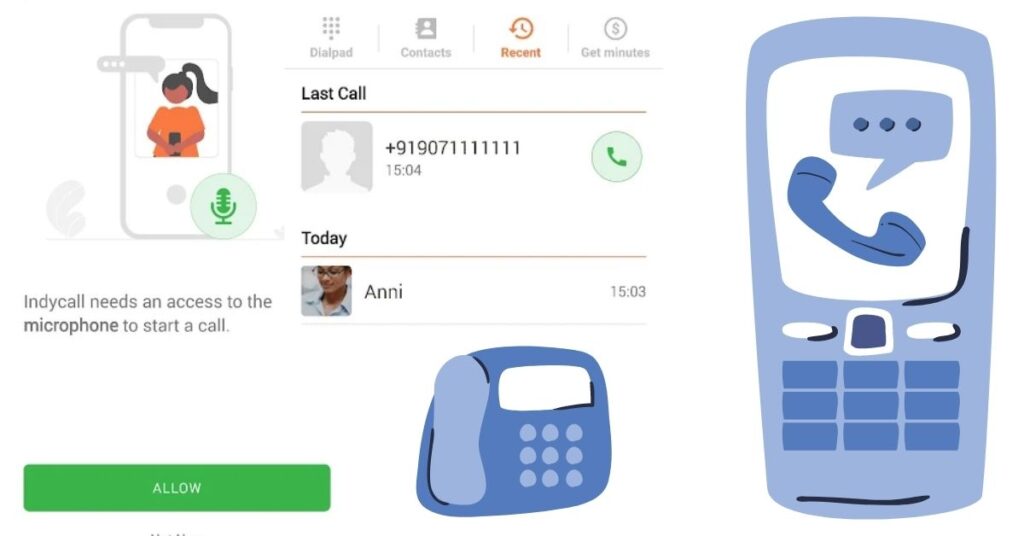
Looking for an India free call app? Indycall advertises calls to Indian numbers funded by ads, but its free-call duration is limited and can depend on your location and the number you dial. Do not assume it provides unlimited free calling or works for every phone and region.
This guide covers the original Indycall recommendation and a separate paid alternative, Talk360. Both have public Google Play listings that we could read, but Indycall’s developer reports that its Indian Play listing is unavailable. Installation and actual calling must be checked on your device. We have not made a test call.
Quick Overview
| Option | Main limitation |
| Indycall | Ad-funded allowance varies; check the duration shown for your call. |
| Talk360 | Regular calls require paid credit; a promotional test is not unlimited calling. |
| Your mobile plan | Check included domestic calls before paying for another service. |
Indycall: check availability before installing
Open IndyCall – calls to India on Google Play. The developer is listed as Indycall. The listing contains ads and in-app purchases.
India availability: The official Indycall FAQ says the app is unavailable in the Indian Google Play store and purchases from India are blocked. An accessible public listing in another region does not override that notice. For readers in India, choose a service available through your official store rather than an APK mirror.
How its free-call offer is described
- Select a contact or enter the number in the app.
- Review any advertisement and the displayed call-time allowance.
- The developer says the free duration depends on location and destination; it is not a fixed daily entitlement.
- Additional “indyminutes” may be purchased or offered through advertiser tasks. Read those conditions before completing an offer.
The listing says a temporary Indycall number is used for caller ID. Let the person you are calling know what to expect. A different displayed number does not make a call anonymous or prevent the service from keeping call information.
Privacy and account information
Indycall’s policy describes processing dialed numbers, device and location information, and call details such as originating IP address and start/end times. It also describes advertising partners. Review the current privacy policy and terms before using the service or participating in surveys.
If you contact support about a failed call or missing minutes, explain the issue without posting a full phone number, payment receipt or private conversation in public comments.
A separate option: Talk360 calls to India
Talk360 on Google Play, from Talk360 Group B.V., is an alternative for calling supported Indian mobile and landline numbers. The caller uses an internet connection; the recipient receives a normal phone call and does not need the Talk360 app or internet.
Talk360 is a paid calling service. Its developer offers a limited test-call promotion, subject to current eligibility and terms. Regular calling uses credit. Check the current India rate and total purchase amount before buying; rates can differ by destination type and change over time.
- Confirm that the service supports your location and the Indian number you need.
- Use the app’s registration instructions and verify your own number.
- Enter the destination with India’s +91 country code, following the app’s number format.
- If a trial is offered, check its limit first. Review paid rates, fees and any automatic top-up option before paying.
Reader Recommendation: Choose the Option That Fits the Call
For frequent domestic calls, compare the cost with calls already included in your mobile plan. If both people already use the same internet-calling app, that may meet the need without a separate call-credit purchase. Internet access can still have a cost.
Neither Indycall nor Talk360 should replace your normal telephone service for emergencies: both services’ terms exclude emergency calling. Use your phone’s normal emergency-call function when needed.
How to Uninstall the Calling App
Open Settings → Apps, select Indycall or Talk360, then tap Uninstall. If you installed both, remove each separately. Before leaving a paid service, check your balance and turn off any optional automatic top-up you enabled; removing the app is not an account-closure or refund request.
Official help
Use Indycall’s website, Talk360’s setup guide and Talk360’s current terms for service details.
Frequently Asked Questions
Is there unlimited free calling to India?
This guide does not establish a universal unlimited offer. Compare the duration and conditions displayed for the call you want to make. An app being free to download does not mean all calls are free.
Does the person I call need Talk360?
No. Talk360 describes delivery to a regular supported phone number. The caller needs the service and an internet connection; the recipient does not need to install the same app.
Why is the caller ID different on Indycall?
Its listing describes a temporary service number. Tell the recipient who is calling, especially if they normally reject unfamiliar numbers. Do not interpret a different number as anonymity.
What should I check before buying minutes?
Check the destination type, rate, total payment, credit conditions and any optional automatic top-up. Try an eligible test first if one is offered. Do not buy credit solely because a search result uses the word free.
Can I use these apps for urgent emergency calls?
Use your normal phone emergency-call function. App calling depends on service availability and should not replace your primary telephone connection.
More Articles You May Like