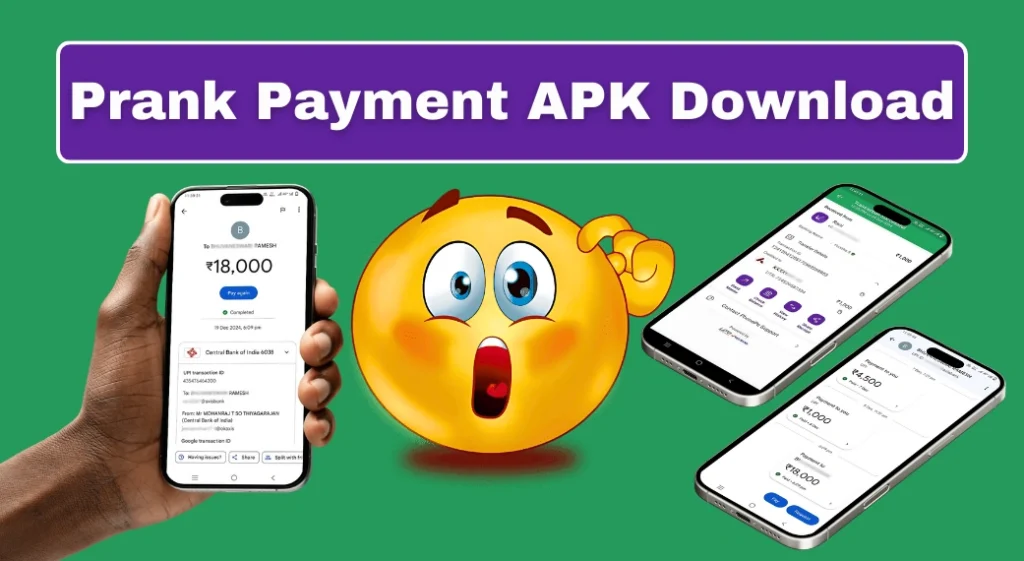
Source review: 18 October 2026. Based on official documentation, not a hands-on app test.
A prank payment APK can display a simulated receipt, but a screen cannot prove that money reached your account. If someone shows a success message, verify the transaction in your own payment app or bank records. Do not release goods or send a refund solely because a screenshot looks convincing.
This guide focuses on protecting customers and merchants. It does not provide fake-payment downloads, receipt templates or instructions for producing deceptive confirmations. The earlier article’s claims of testing four APKs and its named incident stories were unsupported and have been removed. No invented experience is used as evidence here.
| What you see | What it establishes |
|---|---|
| A screenshot on another phone | Only what that screen displays |
| A sound or animation | Not independent confirmation of a bank credit |
| Your own transaction history | The status recorded by your payment provider |
| A matching bank credit | Evidence to reconcile with the transaction details |
| A pending status | A transaction requiring further checking |
Jump to: Verify a payment · Pending payments · Shop routine · Report concerns · Demonstrations · FAQ · Uninstall
Check from the receiving side
Open the payment app you normally use on your own device. Find the relevant entry and compare the amount, date and account involved. If you operate several accounts, make sure you are checking the account associated with the QR code used for that sale.
Google Pay’s bank-statement guide explains matching the transaction reference and amount with the appropriate debit or credit entry. A merchant should look for the incoming credit, rather than treating the sender’s debit screen as the final word.
Do not rely on the overall balance alone when several payments are arriving. Match the specific sale to the specific entry. Keep your checks calm and routine: a delay or mismatch is not, by itself, proof that a customer committed fraud.
A delayed payment needs a status check
Google Pay’s transaction-status instructions show how to open the transaction details and distinguish processing, failed and successful states. They advise against repeating the same payment while it is processing. Use the provider’s instructions for that status instead of guessing from a generic “success” image.
Agree on how to follow up if the payment cannot be confirmed immediately. Record the amount and reference privately. If another payment method becomes necessary, keep enough records to identify and resolve a later duplicate credit. Do not promise a refund before checking what actually arrived.
Ask the payment provider or bank about an unresolved mismatch through its official support channel. A support agent does not need you to install an unknown prank app to investigate a transaction. Avoid search-result phone numbers whose connection to the provider is unclear.
A simple payment-checking routine for staff
- Confirm the expected amount before the customer pays.
- Check that the displayed merchant QR belongs to the intended account.
- Verify the incoming entry on the business’s own authorised device.
- Match the amount and reference to the sale.
- Record unresolved payments without making public accusations.
Use the same process during busy periods. Do not let a queue, a confident customer or an urgent story replace the check. If a staff member cannot access transaction information, establish who can confirm it and how the sale will be held while they do so.
A payment alert can be helpful, but a sound played from a customer’s phone is not a trusted merchant notification. Train staff to distinguish their own payment system from information supplied by someone else. Avoid exposing other customers’ balances or transaction history while checking a sale.
What to do if you suspect deception
Preserve the relevant receipt, messages, transaction reference, date and amount. Keep evidence in its original form where possible. Share it with the bank, payment provider or investigating authority through official channels, rather than publishing personal details on social media.
Google Pay’s fraud guidance says to keep UPI PINs and login OTPs private, use in-app support and contact your bank about suspected fraud. Receiving money does not require entering your UPI PIN. Read the direction of a request carefully before authorising anything.
The Government of India’s financial-fraud reporting information identifies 1930 and the National Cyber Crime Reporting Portal. Report suspected financial cyber fraud promptly. Reporting helps authorities assess the incident; it is not a guarantee that money will be recovered.
This guide does not decide whether a specific incident meets a particular criminal offence or predict penalties. If a dispute has legal consequences, obtain appropriate advice and provide accurate evidence. Calling something a prank does not remove the harm caused by misleading a seller.
Use clearly fictional material for education
For staff training or an awareness video, use an obviously fictional design labelled “DEMO — NO PAYMENT.” Use invented names and a generic layout. Keep the label visible whenever the image appears, including cropped clips or screenshots.
Do not present a demonstration to a shopkeeper as a genuine transfer. A useful lesson is how to check the receiving account, not how to make a fake receipt more convincing. You do not need a risky APK to teach that distinction.
Frequently asked questions
Does a transaction ID printed on an image prove payment?
No. Check the reference against records from your own provider or bank, together with the amount and date.
Is every delayed payment a scam?
No. Genuine processing problems can occur. Verify the status and follow the provider’s support process before drawing conclusions.
Should I refund an alleged overpayment immediately?
First verify the original credit and the amount actually received. Do not send money based only on another person’s screenshot.
Remove an unwanted payment-simulation app
Use Android’s app information screen to uninstall it. Review any permissions you granted and secure accounts if you disclosed credentials. Keep evidence needed for a complaint before removing files.
Removing software does not reverse a transfer or erase data already shared. Handle any account, billing or fraud issue separately through the relevant official provider.
Update policy: We revise this prank payment APK awareness guide when official payment-verification guidance changes. No fake-payment tool receives a safety endorsement.
More Articles You May Like







Bhavesh yadav sherpur