15-Second Quick Answer
If you’ve ever wanted to call someone without showing your personal phone number, you’ve probably searched for private number calling. Apps like UnCall promise to let you place calls using a hidden or temporary number instead of your real one.
That sounds simple, but there is much more behind it.
Some features work exactly as advertised, while others depend on your country, internet connection, local telecom rules, and the person receiving the call. Before spending money or even using free credits, it’s worth understanding how these apps actually work.
This guide explains everything in simple English.
Most people think hiding their phone number is only useful for prank calls.
That is only one small use case.
Many users simply want to protect their personal number when contacting strangers, online marketplace buyers, customers, temporary clients, delivery drivers, or businesses.
Instead of revealing their permanent mobile number, they prefer using a temporary or secondary number.
Apps like UnCall try to solve this problem using internet-based calling (VoIP) together with temporary numbers.
However, there are important limitations that many users never discover until after installing the app.
Let’s understand everything from the beginning.
Table of Contents
Why People Search for Private Number Calling
People usually search for this feature because of situations like these:
- Selling items on Facebook Marketplace
- Calling unknown buyers
- Contacting clients
- Online dating conversations
- Business inquiries
- Temporary work
- Privacy concerns
- Avoiding spam calls later
- Making international calls
- Testing customer support systems
Some users also want to surprise their friends by making calls that appear as “Private Number“ or an unfamiliar number.
While that may sound entertaining, responsible use is important. Repeated anonymous calls can be annoying or even violate local laws depending on the situation.
What Is Private Number Calling?
Private number calling means your real mobile number is not shown to the person receiving your call.
Instead, they may see:
- Private Number
- Unknown Number
- Hidden Caller
- Anonymous
- A temporary phone number
- A disposable virtual number
The exact display depends on:
- Your calling app
- Your network
- The recipient’s mobile carrier
- The recipient’s phone settings
- Country-specific telecom policies
Because of this, two people receiving the same call might not see exactly the same caller ID.
How Apps Like UnCall Work
Unlike normal mobile calls that travel through your SIM card, UnCall primarily uses VoIP (Voice over Internet Protocol).
Here’s the simplified process:
- You open the app.
- The app connects to its servers over the internet.
- You enter the phone number you want to call.
- The app assigns a temporary or hidden outgoing number.
- The recipient sees that temporary identity instead of your personal mobile number.
Because the call uses internet technology, call quality depends heavily on your internet connection.
A strong Wi-Fi or 5G connection usually provides better results than unstable mobile data.
Main Features Offered by UnCall
Based on the developer’s information, UnCall includes:
Hidden Caller ID
Your personal phone number is hidden during supported calls.
Temporary Calling Numbers
The app may use disposable or virtual phone numbers instead of your real number.
International Calling
The app claims support for calls in over 100 countries.
Actual availability may vary depending on local telecom restrictions.
Credit-Based Calling
Instead of unlimited free calling, the app uses a credit system.
Credits can generally be obtained by:
- Watching rewarded advertisements
- Purchasing credit packages
- Promotional rewards
Longer conversations require more credits.
Contact List Access
You can place calls directly from your saved contacts instead of typing numbers manually.
Second Number Concept
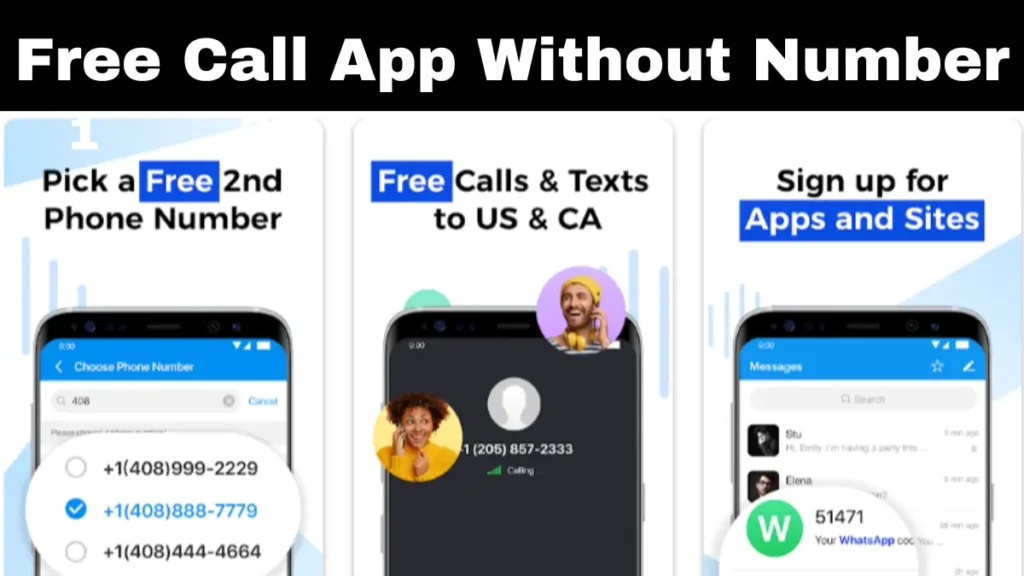
Some users treat apps like UnCall as a temporary second phone number for situations where they don’t want to expose their personal SIM number.
Real-Life Examples
Example 1
You’re selling a used laptop online.
Instead of giving your permanent mobile number to dozens of strangers, you call buyers using a temporary number.
If unwanted calls continue later, your personal number stays private.
Example 2
A freelancer contacts new clients every week.
Rather than exposing their personal number to every inquiry, they use a secondary calling identity.
Example 3
A traveler needs to call hotels in another country.
Using internet calling may sometimes reduce costs compared with international mobile calling.
Benefits of Using Private Number Calling
There are several practical advantages.
Better Privacy
Your real mobile number stays hidden during supported calls.
Reduced Spam Risk
If your personal number never reaches unknown people, future spam calls may decrease.
Useful for Temporary Communication
Great for short-term conversations that don’t require sharing your permanent contact details.
International Calling Options
VoIP calling can sometimes be cheaper than traditional international calls.
Easy Setup
Most users only need:
- Internet connection
- App installation
- Credits
- Phone permission
No additional SIM card is usually required.
Hidden Limitations You Should Know
This is where many users become disappointed.
It Is Not Completely Free
Although free credits are available, longer conversations usually require paid credits.
Internet Is Required
Without a stable internet connection, call quality may suffer.
Caller ID Is Not Guaranteed Everywhere
Some telecom providers or recipient devices may not display the call exactly as expected.
Credits Can Finish Quickly
Long international calls may consume credits faster than new users expect.
Regional Restrictions
Some countries have strict regulations regarding anonymous calling.
Features available in one region may not work in another.
Safety Analysis
From a security perspective, hiding your number is not automatically unsafe.
The important question is how you use it.
Good uses include:
- Protecting personal privacy
- Business communication
- Marketplace transactions
- Customer support
- Temporary contacts
Poor uses include:
- Harassment
- Repeated prank calls
- Threats
- Fraud
- Identity deception
Many countries have laws covering anonymous communications. Even if your number is hidden from the recipient, service providers may still retain records for legal purposes.
Privacy should never be confused with complete anonymity.
Privacy Analysis
One of UnCall’s main selling points is privacy.
However, before granting permissions, users should always review:
- Contacts access
- Microphone access
- Phone permissions
- Internet permissions
Ask yourself whether every permission is necessary for the feature you want.
Also remember that using a private number does not automatically mean your information is invisible to the app provider or telecom infrastructure.
Always read the app’s privacy policy before using services that handle voice communication.
Performance Review
Performance depends more on your internet than many people realize.
Good Experience
- Strong Wi-Fi
- Stable fiber internet
- Reliable 5G
Usually provides:
- Better voice quality
- Lower delay
- Fewer call drops
Poor Experience
- Weak mobile data
- Congested networks
- Unstable Wi-Fi
May result in:
- Voice lag
- Echo
- Delayed audio
- Call disconnections
Because these calls travel over the internet, network quality matters much more than traditional cellular calling.
How It Compares With Other Options
UnCall
Best for users who want:
- Temporary caller identity
- Credit-based calling
- International VoIP calling
- Hidden number support
Carrier Caller ID Blocking
Many mobile operators allow users to hide caller ID directly.
Advantages:
- No additional app
- Uses normal cellular network
Disadvantages:
- Availability varies
- Doesn’t provide a second number
Second SIM Card
A physical second SIM offers:
- Better reliability
- Separate phone number
- No credit system
But it requires purchasing another SIM plan.
Business Calling Apps
Business communication platforms often provide virtual numbers, voicemail, and call management features that may be more suitable for professional users.
Expert Recommendations
Private number apps make sense if you:
- Frequently contact unknown people.
- Want to protect your personal number.
- Need occasional international calls.
- Prefer internet-based calling.
They may not be the best choice if:
- You need guaranteed call reliability.
- You make very long calls every day.
- You require emergency calling.
- You have unreliable internet.
For heavy daily use, a dedicated second phone number or business calling service may be a more dependable solution.
Common Mistakes Users Make
Assuming Every Call Will Show “Private Number”
Display behavior depends on networks and recipient settings.
Ignoring Credit Costs
Many people think the app is fully free until their credits run out.
Using Weak Internet
Poor internet often causes users to blame the app when the connection is actually the issue.
Forgetting Permission Settings
Blocking microphone or phone permissions can prevent calls from working properly.
Using It for Inappropriate Purposes
Anonymous calling should never be used for harassment, threats, or misleading people.
Frequently Asked Questions
Is UnCall completely free?
No. The app offers free credits, but longer calls typically require purchasing additional credits.
Does the other person always see “Private Number”?
Not always. The displayed caller ID depends on telecom networks, regional regulations, and the recipient’s device.
Can I make international calls?
According to the developer, the app supports calls to more than 100 countries, subject to service availability.
Does it need a SIM card?
The app primarily relies on an internet connection rather than your normal cellular voice service, though your Android device still requires the necessary permissions.
Can I earn free credits?
Yes. The developer states that users can earn credits by watching rewarded advertisements, in addition to buying credit packages.
Is it safe?
It can be safe when used responsibly for privacy and legitimate communication. As with any communication app, review its permissions and privacy policy before use.
Final Verdict
UnCall offers an interesting approach to private number calling by combining VoIP technology with temporary caller identities and a credit-based system. For users who want to keep their personal phone number private during everyday conversations, marketplace transactions, or occasional international calls, it provides a convenient alternative to revealing a permanent mobile number.
At the same time, it’s important to set realistic expectations. The app is not an unlimited free calling service, call quality depends on your internet connection, and anonymous caller ID behavior can vary depending on local telecom networks and the recipient’s device. These limitations are common across many internet-based calling services.
If your goal is occasional privacy while calling, UnCall may be worth trying with its free credits first to see how it performs in your region. If you need highly reliable voice quality, predictable caller ID behavior, or heavy daily business calling, you may find that a dedicated second phone number or a professional virtual phone service is a better long-term choice.
The most effective approach is to choose the tool that matches your needs: privacy for short-term communication, cost-effective international calls, or a dependable second number for regular use.