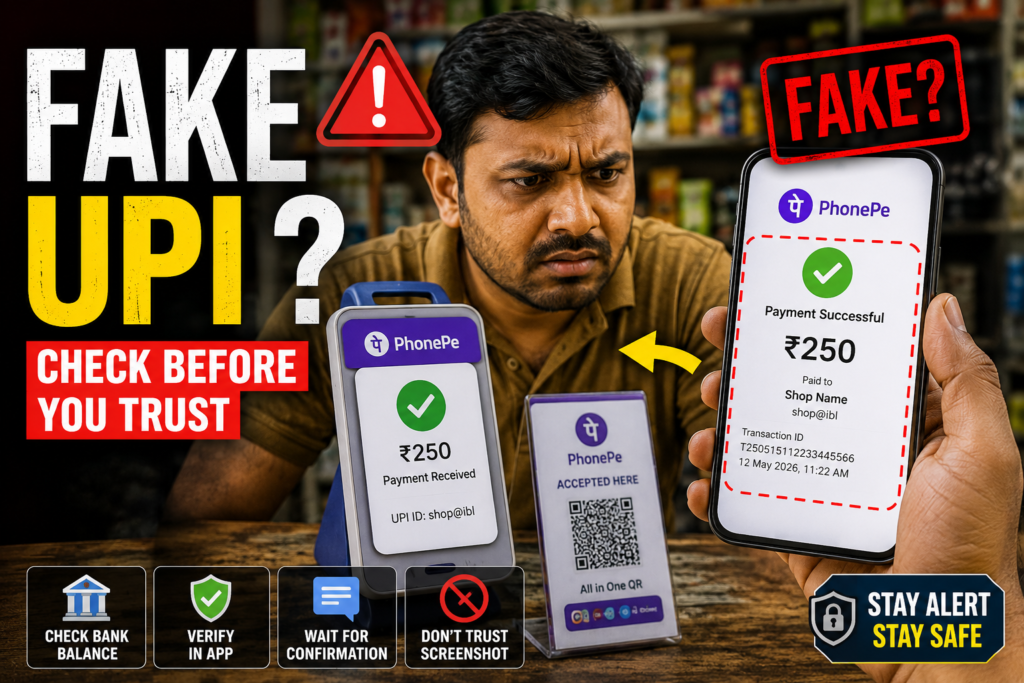
A fake PhonePe transaction screenshot does not prove that money reached you. Check the payment record on your own banking or merchant account before handing over goods, cash or a refund. A convincing logo, success animation or reference number can appear in an image without a matching credit.
This guide is for shopkeepers and people receiving UPI payments in India. It explains how to verify a disputed payment and where to report suspected fraud. A payment that is genuinely pending is not, by itself, evidence that a customer is cheating.
What does “fake PhonePe transaction” mean?
The phrase usually describes a misleading payment confirmation: an edited screenshot, an old receipt reused for a new purchase, or a screen that imitates a payment app. It is different from a real transaction that is still processing or has failed.
PhonePe’s official screenshot-fraud guide describes cases involving purchases, cash exchanges and demands to return money supposedly sent by mistake. The common problem is accepting the sender’s image as the recipient’s payment confirmation.
How to check a payment at your counter
- Open your own account. Use the banking app or merchant payment service that receives payments for the QR code involved. Do not follow a link sent by the customer to “verify” it.
- Find the specific transaction. Match the amount, approximate time, recipient account and reference details where available. A running account balance alone does not identify which customer paid.
- Read the status. A successful incoming record is different from a pending customer screen. If your record is missing or unclear, use your provider’s support process before treating the sale as paid.
- Match it to the order. Mark the invoice paid only after verification. For several customers paying the same amount, use transaction details instead of assuming the latest notification belongs to the person at the counter.
Not every payment into a bank account will necessarily appear in the history of every UPI app you have installed. Check the receiving service or bank appropriate to that transaction.
Payment receipt and merchant settlement are different checks
If your merchant provider settles collected payments into your bank account on a schedule, check the individual payment in the merchant dashboard and the separate settlement record. Do not label a customer payment fake solely because the aggregated settlement has not yet appeared in your bank account. Ask the provider to trace the payment if the records disagree.
For a direct bank-account transfer, look for the matching credit in that receiving bank account. Avoid relying on a balance change when other credits, debits or settlements are happening at the same time.
What is not enough to confirm payment?
- A screenshot or screen recording: it shows what someone shared, not an independent record in your account.
- A UTR or reference number by itself: use it to help support trace a transaction; its appearance in an image is not proof of credit.
- A sound from the customer’s phone: do not confuse it with a notification from your own merchant device.
- An SMS shown on someone else’s screen: verify the transaction through your own account.
PhonePe’s merchant fraud guidance recommends independent confirmation and careful checking of QR codes. If the amount announced by your own device does not match the sale, check the transaction record before proceeding.
What if the customer says the amount was debited?
Remain calm and distinguish “debited from the sender” from “confirmed received by the merchant.” Ask the customer to check the status in their genuine app and raise a complaint against that transaction if necessary. Keep the order reference while you investigate your receiving records.
Do not push the customer into another payment without explaining how a later duplicate credit will be reconciled. If you accept a different payment method, record both attempts and agree how a verified duplicate will be handled. Do not promise a universal reversal time: the transaction type and provider’s investigation matter.
Someone wants a refund for money you cannot find
Check the alleged credit independently. Do not return money solely because a caller sends a receipt or pressures you with an urgent story. If a matching credit exists but you do not recognise it, contact your bank or payment provider for the appropriate return process. Keep the complaint reference and avoid sending funds to a different account at the caller’s instruction.
Report a suspected fake payment
Preserve the receipt image, chat, invoice, time, claimed reference number and your own relevant payment records. Share evidence through official support or reporting channels; do not publish customers’ bank details or phone numbers online.
In PhonePe, open Help and select the relevant transaction issue where available. For financial cyber fraud in India, report promptly through the National Cyber Crime Reporting Portal or call 1930. I4C confirms this national financial-fraud reporting helpline. Also notify your bank or merchant provider. Reporting does not guarantee recovery.
Simple checks for shop staff
Use the same verification process during quiet and busy periods. Check that the displayed QR belongs to your business and has not been covered by another sticker. Decide who can confirm payments and refunds, and reconcile disputed orders against your own records.
Frequently asked questions
Can the fonts or colours prove a screenshot is fake?
Visual inconsistencies can raise suspicion, but app designs change and edited images can look convincing. Your own payment record is a better basis for a decision.
Does pending mean fraud?
No. A pending payment needs resolution. Avoid accusing someone solely because a confirmation is delayed.
Do I need to install a fake-payment checker?
No additional screenshot-checking app can replace checking your receiving account. Do not upload private receipts to an unknown tool or install an APK sent by someone involved in the dispute.
More Articles You May Like






