Smartphones have become powerful mini-computers, and users expect smooth performance even after years of usage. As devices age, many people look for tools that can speed up their phones, clean storage, and improve battery life. One such tool is System Booster APK, a popular utility app that claims to optimize performance with just one tap.
This detailed 2026 guide explains what System Booster is, how it works, why people install it, whether these apps are truly useful today, and what safer alternatives you should consider.
What is System Booster?
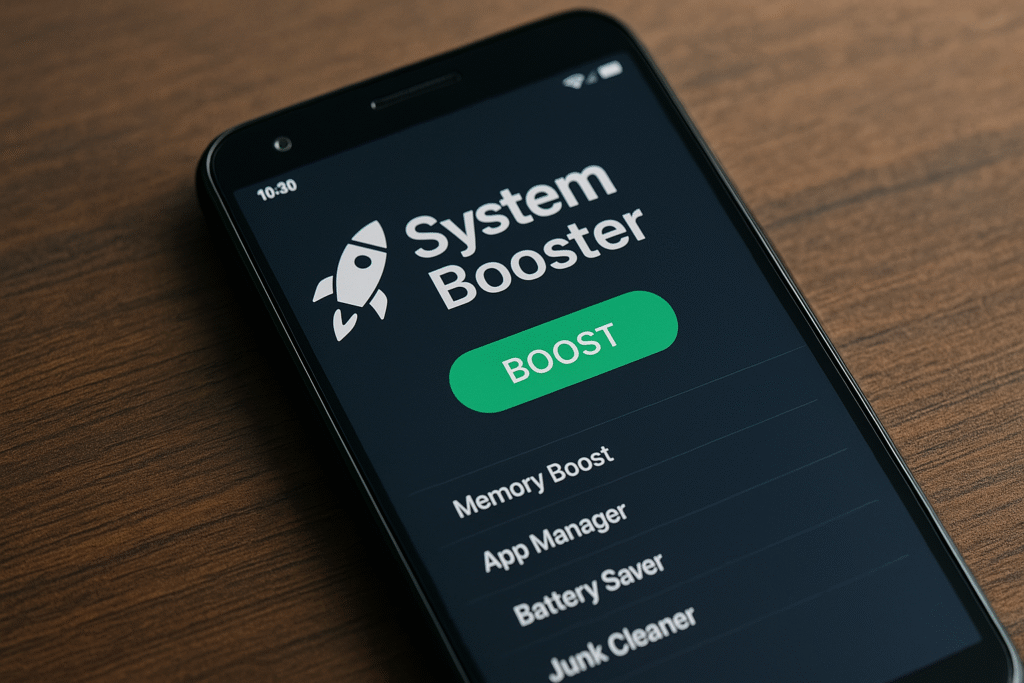
System Booster is an Android utility app packaged as an APK file. It usually offers features such as:
- One-tap speed boost to free up memory
- Process management to stop background apps
- Backup and restore tools for installed applications
- Quick access shortcuts for Wi-Fi, Bluetooth, brightness, and other controls
- CPU and memory usage dashboards
- Battery optimizer and storage cleaning tools
Another version marketed under a similar name often includes:
- A memory booster for clearing app caches
- A simple uninstaller to remove unused apps
- A single Boost button to kill background processes
These apps present themselves as all-in-one performance enhancers for older or slow Android devices.
How Do System Booster Apps Claim to Work?
System Booster apps typically operate through three core functions:
1. Clearing cached data
Cache files store temporary data to help apps load faster. Booster apps delete them to free space, but the system rebuilds these caches automatically. This provides only temporary improvement.
2. Stopping background processes
Android intentionally keeps frequently used apps in memory so they can reopen quickly. When a booster app kills these processes, Android reloads them again, which may use more battery and slow performance.
3. Deleting temporary and junk files
Removing unnecessary files may free storage, but repeated deep cleaning can reduce app efficiency and cause slower reload times.
Claims like Battery Saving or CPU Cooling
Many apps advertise:
- Battery saver
- CPU cooler
- RAM expander
However, Android already includes advanced battery optimization and thermal management. Third-party boosters cannot adjust CPU temperature or RAM allocation beyond what the system allows.
Bottom line:
Most booster functions duplicate features already built into Android, and often slow the phone instead of speeding it up.

Perceived Benefits and Why People Install Them
Even with limitations, users continue to download these apps for reasons like:
✔ Short-term responsiveness improvement
Killing certain misbehaving apps may briefly make an older device feel faster.
✔ Centralized quick settings
Having Wi-Fi, brightness, and similar controls in one place feels convenient.
✔ App backup and restore options
Useful for people who want to move apps to another phone without cloud services.
✔ Simple, beginner-friendly interface
One-tap optimization attracts non-technical users who want an easy solution.
Risks and Downsides
System Booster apps come with several issues, especially in 2026:
⚠ They may slow down the phone
Force-closing apps causes them to restart repeatedly, using more battery and CPU power.
⚠ They duplicate built-in Android features
Android already manages:
- RAM
- Battery usage
- Background apps
- Cache cleaning
- Thermal control
Using boosters interferes with this natural optimization.
⚠ Intrusive ads and scare tactics
Many booster apps show alarming pop-ups about “dangerous junk files” or “high risk battery drain” to pressure users into subscriptions.
⚠ Privacy concerns
Some apps request unnecessary permissions such as:
- Location
- Contacts
- Phone access
This could expose personal data or indicate unsafe app behavior.
⚠ Potential malware in unofficial APKs
Sideloading APKs from unknown sources increases security risks, as such files may contain harmful code.

When to Avoid System Booster Apps
You should avoid installing System Booster apps when:
- Your phone runs Android 9 or later
- The app promises unrealistic improvements like “300% speed boost”
- It requests unnecessary permissions
- It shows warnings that your device is “infected” or “severely damaged”
- It uses pop-ups or pressure tactics
For most 2026 devices, these apps are unnecessary.
When Might a Booster Be Slightly Helpful?
A lightweight booster may offer limited benefits in specific situations:
✔ Older devices (Android 5 or earlier)
Phones without adaptive battery management may gain temporary improvements.
✔ After major updates
Clearing cache once can sometimes resolve glitches.
✔ Bulk uninstallation
A built-in uninstall tool can make removing many apps easier.
However, all these tasks can be performed using Android’s own settings or trusted tools.
Best Practices for Maintaining Phone Performance in 2026
Instead of installing booster apps, follow these safe and effective tips:
1. Use built-in cleaning tools
Android’s Storage settings and the Files app offer safe junk removal and app cleanup options.
2. Restart periodically
Rebooting once a week resets background processes and fixes temporary slowdowns.
3. Keep apps and software updated
Updates improve speed, security, and stability.
4. Remove unused apps
Uninstall apps you rarely use to free storage and reduce background activity.
5. Manage storage carefully
Delete old media files, and clear cache selectively only for misbehaving apps.
6. Avoid unknown APKs
Install apps only from trusted sources.
7. Use reputable security software
If you truly need protection, choose well-known security apps without built-in boosters or junk cleaners.
Summary Table: Features vs. Risks of System Booster
| Feature (Claimed) | Purpose | Potential Issue |
|---|---|---|
| One-tap speed boost | Closes background apps | May slow down reloads and drain battery |
| Task/process killer | Stops running apps | Tasks restart automatically, wasting power |
| Backup & restore | Saves app data | Duplicates built-in backup tools |
| Quick settings toggle | Convenience shortcuts | Already available in Android’s Quick Panel |
| CPU/RAM monitor | Shows usage stats | Cosmetic feature; no real performance gain |
| Battery optimizer | Saves battery | Can consume extra power itself |
| Junk cleaner | Deletes temporary files | Frequent deletion is counterproductive |
| One-click uninstaller | Removes apps | Same as built-in uninstall button |
In 2026, Android devices are designed to manage memory, battery, and performance automatically using smart algorithms. System Booster apps promise quick fixes, but their benefits are usually temporary and sometimes harmful. They can cause battery drain, disrupt normal app behavior, display misleading warnings, and raise privacy concerns.
For most users, maintaining a smooth phone experience is simple:
- Keep your phone updated
- Restart regularly
- Use built-in storage tools
- Remove apps you don’t need
- Avoid risky APKs
These steps are safer and more effective than relying on third-party booster apps.
More Articles You May Like